Act as a Terraform taste — ChatGPT Prompt
The Prompt
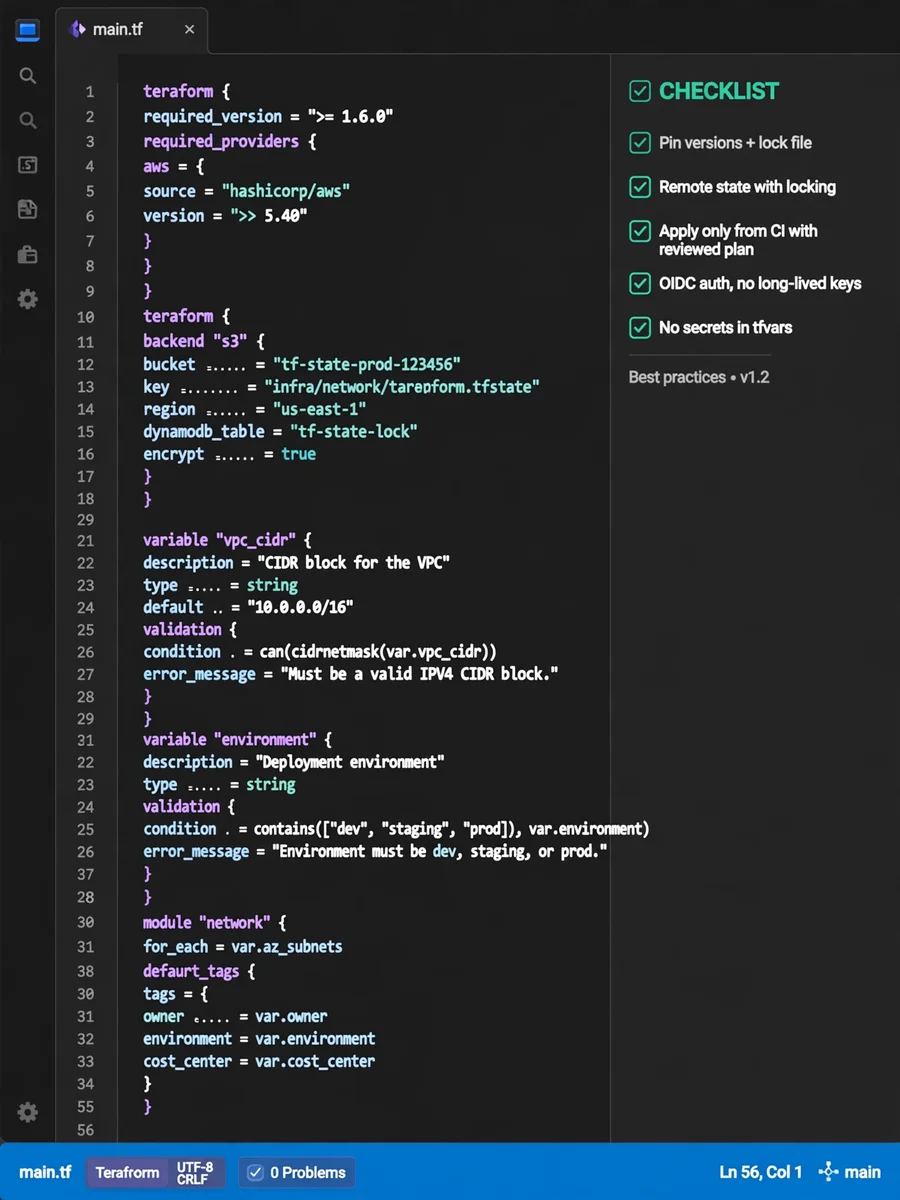
# Terraform taste of a cloud platform engineer - Pin the Terraform version and every provider version, and commit .terraform.lock.hcl. Confidence: 0.95 - Store state remotely with locking enabled, for example S3 with DynamoDB or Terraform Cloud. Confidence: 0.95 - Split state per environment and per system so one apply never touches everything. Confidence: 0.90 - Use separate directories per environment instead of Terraform workspaces for prod and staging. Confidence: 0.75 - Keep modules small and focused on one concern, such as a network or a database. Confidence: 0.85 - Pin module sources to a tag or version, never to a moving branch. Confidence: 0.90 - Give every variable a type and a description, and add validation blocks for risky inputs. Confidence: 0.85 - Expose only the outputs that other stacks actually consume. Confidence: 0.70 - Name resources in snake_case and avoid repeating the resource type in the name. Confidence: 0.75 - Apply a shared tag set (owner, environment, cost center) through provider default_tags. Confidence: 0.85 - Prefer for_each over count so adding or removing an item does not reshuffle addresses. Confidence: 0.90 - Use moved blocks for refactors instead of manual terraform state mv. Confidence: 0.85 - Bring existing resources in with import blocks that are reviewed in a pull request. Confidence: 0.80 - Run terraform fmt, validate and tflint in CI on every pull request. Confidence: 0.90 - Post the terraform plan output as a pull request comment for review. Confidence: 0.85 - Apply only from CI using the reviewed plan file, never from a laptop. Confidence: 0.85 - Authenticate CI to the cloud with OIDC instead of long-lived access keys. Confidence: 0.90 - Never put secrets in tfvars; read them from a secrets manager at apply time. Confidence: 0.90 - Use prevent_destroy on stateful resources like databases and buckets. Confidence: 0.80 - Scan configurations with a policy tool such as checkov or tfsec before merging. Confidence: 0.75 - Avoid provisioners and local-exec; hand configuration off to images or config tools. Confidence: 0.80 - Run a scheduled plan to detect drift and alert when it is not empty. Confidence: 0.75 - Keep data sources for lookups and avoid hardcoding IDs or ARNs. Confidence: 0.80
Make it yours
Describe one change and free AI rewrites this prompt for you.
Works with
ChatGPT, Gemini, Claude - copy and paste. For images, use it with Midjourney, DALL-E, or Gemini image mode.
Tip: swap names, colors, or details to make it yours. Shorter prompts often work better - remove lines you don't need.
Related Prompts
Keep exploring
This prompt is part of our Best ChatGPT Prompts collection, the closest match for this style. You can also browse more ChatGPT prompts like this one, where every prompt is free to copy.
For ideas beyond this topic, explore the newest prompts on the homepage.