Act as a Database Migrations taste — ChatGPT Prompt
The Prompt
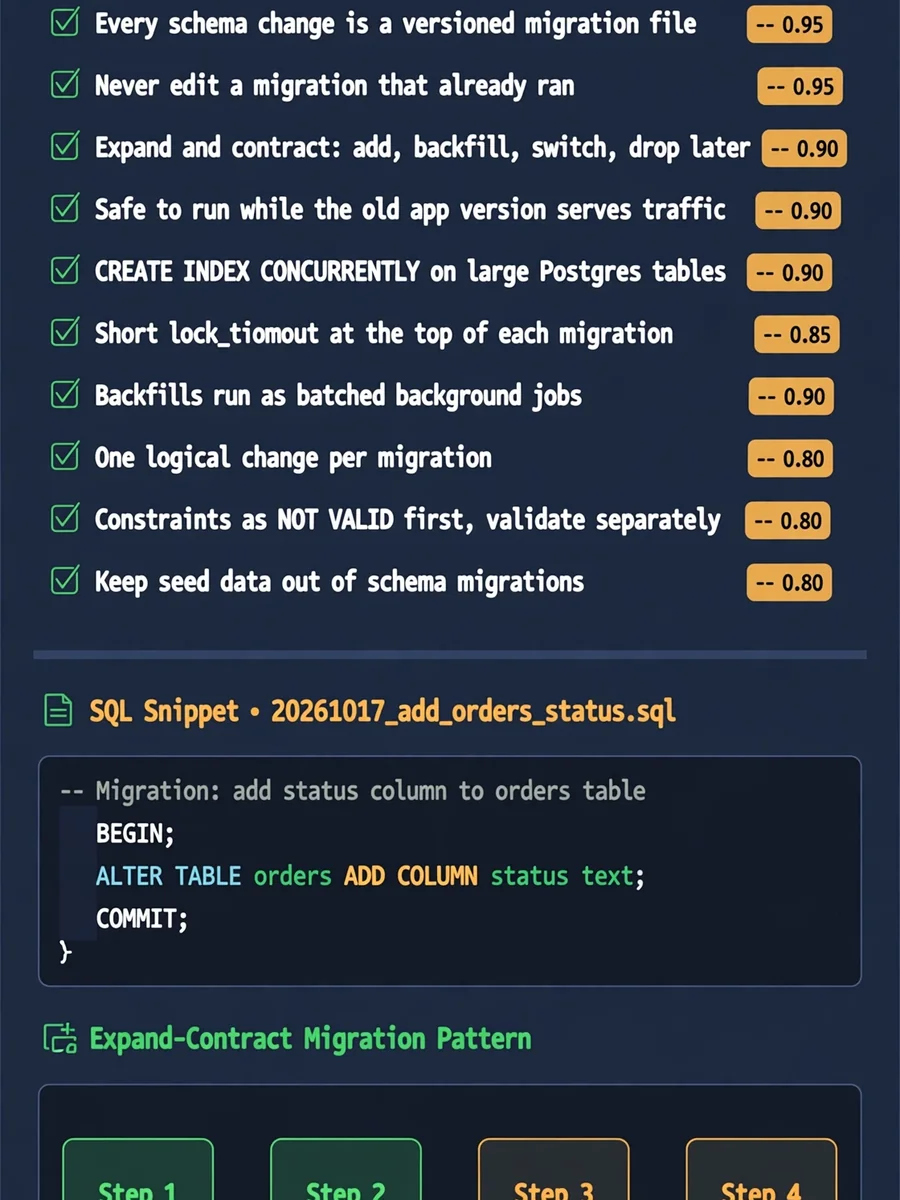
# Database Migrations taste - Keep every schema change in a versioned migration file committed next to the code that needs it. Confidence: 0.95 - Write migrations in plain SQL rather than ORM-generated diffs you have not read. Confidence: 0.80 - Never edit a migration that has already run in a shared environment; add a new one instead. Confidence: 0.95 - Use the expand and contract pattern: add the new column, backfill, switch reads, then drop the old column in a later release. Confidence: 0.90 - Make every migration safe to run while the previous app version is still serving traffic. Confidence: 0.90 - Add new columns as nullable or with a constant default to avoid long table rewrites. Confidence: 0.85 - Create indexes on large Postgres tables with CREATE INDEX CONCURRENTLY outside a transaction. Confidence: 0.90 - Set a short lock_timeout and statement_timeout at the top of each migration. Confidence: 0.85 - Run large backfills as batched background jobs, not inside the migration itself. Confidence: 0.90 - Keep one logical change per migration so failures are easy to read and retry. Confidence: 0.80 - Name migration files with a UTC timestamp prefix and a short verb phrase like 20261017_add_orders_status. Confidence: 0.75 - Prefer forward-only migrations and fix mistakes with a new migration instead of relying on down scripts. Confidence: 0.70 - Run migrations as a separate deploy step before the new application code starts. Confidence: 0.85 - Test every migration in CI against a fresh database and against a copy of production-sized data. Confidence: 0.80 - Add foreign keys and check constraints as NOT VALID first, then validate them in a separate step. Confidence: 0.80 - Rename columns and tables only through a view or dual-write period, never in a single step. Confidence: 0.75 - Store the applied migration history in the database and fail the deploy if it has drifted. Confidence: 0.85 - Review migrations as carefully as application code, with the generated SQL visible in the pull request. Confidence: 0.90 - Keep seed and fixture data out of schema migrations. Confidence: 0.80
Make it yours
Describe one change and free AI rewrites this prompt for you.
Works with
ChatGPT, Gemini, Claude - copy and paste. For images, use it with Midjourney, DALL-E, or Gemini image mode.
Tip: swap names, colors, or details to make it yours. Shorter prompts often work better - remove lines you don't need.
Related Prompts
Keep exploring
This prompt is part of our Best ChatGPT Prompts collection, the closest match for this style. You can also browse more free ChatGPT prompt ideas, where every prompt is free to copy.
For ideas beyond this topic, see what is trending on the PromptBee homepage.