Act as a Dockerfile and CI taste — ChatGPT Prompt
The Prompt
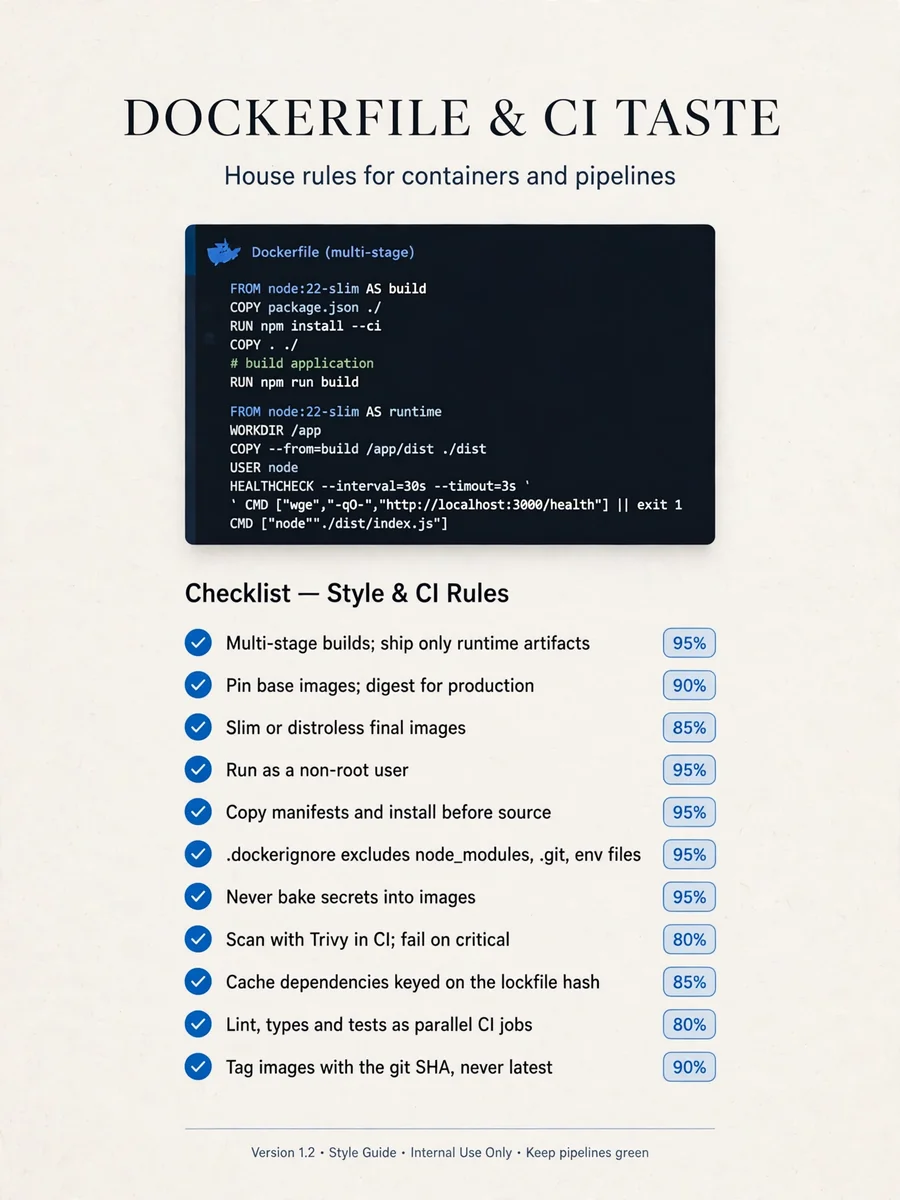
# Dockerfile and CI taste - Use multi-stage builds and ship only the runtime artifacts in the final stage. Confidence: 0.95 - Pin base images to a specific version tag, and to a digest for production. Confidence: 0.90 - Prefer slim or distroless final images over full OS images. Confidence: 0.85 - Run the container as a non-root user. Confidence: 0.95 - Order layers so dependency manifests are copied and installed before source code. Confidence: 0.95 - Always keep a .dockerignore that excludes node_modules, .git and local env files. Confidence: 0.95 - Add a HEALTHCHECK or an equivalent readiness probe. Confidence: 0.80 - Use BuildKit cache mounts for package manager caches. Confidence: 0.80 - Never bake secrets into images; pass them at runtime or use build secrets. Confidence: 0.95 - Use exec-form CMD so the process receives signals correctly. Confidence: 0.90 - Scan images with Trivy in CI and fail on critical vulnerabilities. Confidence: 0.80 - Cache dependencies in GitHub Actions keyed on the lockfile hash. Confidence: 0.85 - Run lint, type check and tests as separate parallel CI jobs. Confidence: 0.80 - Tag images with the git SHA and never rely on the latest tag for deploys. Confidence: 0.90 - Keep workflows short and move repeated steps into reusable workflows. Confidence: 0.70
Make it yours
Describe one change and free AI rewrites this prompt for you.
Works with
ChatGPT, Gemini, Claude - copy and paste. For images, use it with Midjourney, DALL-E, or Gemini image mode.
Tip: swap names, colors, or details to make it yours. Shorter prompts often work better - remove lines you don't need.
Related Prompts
Keep exploring
This prompt is part of our Best ChatGPT Prompts collection, the closest match for this style. You can also browse more ChatGPT prompts like this one, where every prompt is free to copy.
For ideas beyond this topic, check the latest additions on the PromptBee homepage.