Act as a Next.js — ChatGPT Prompt
The Prompt
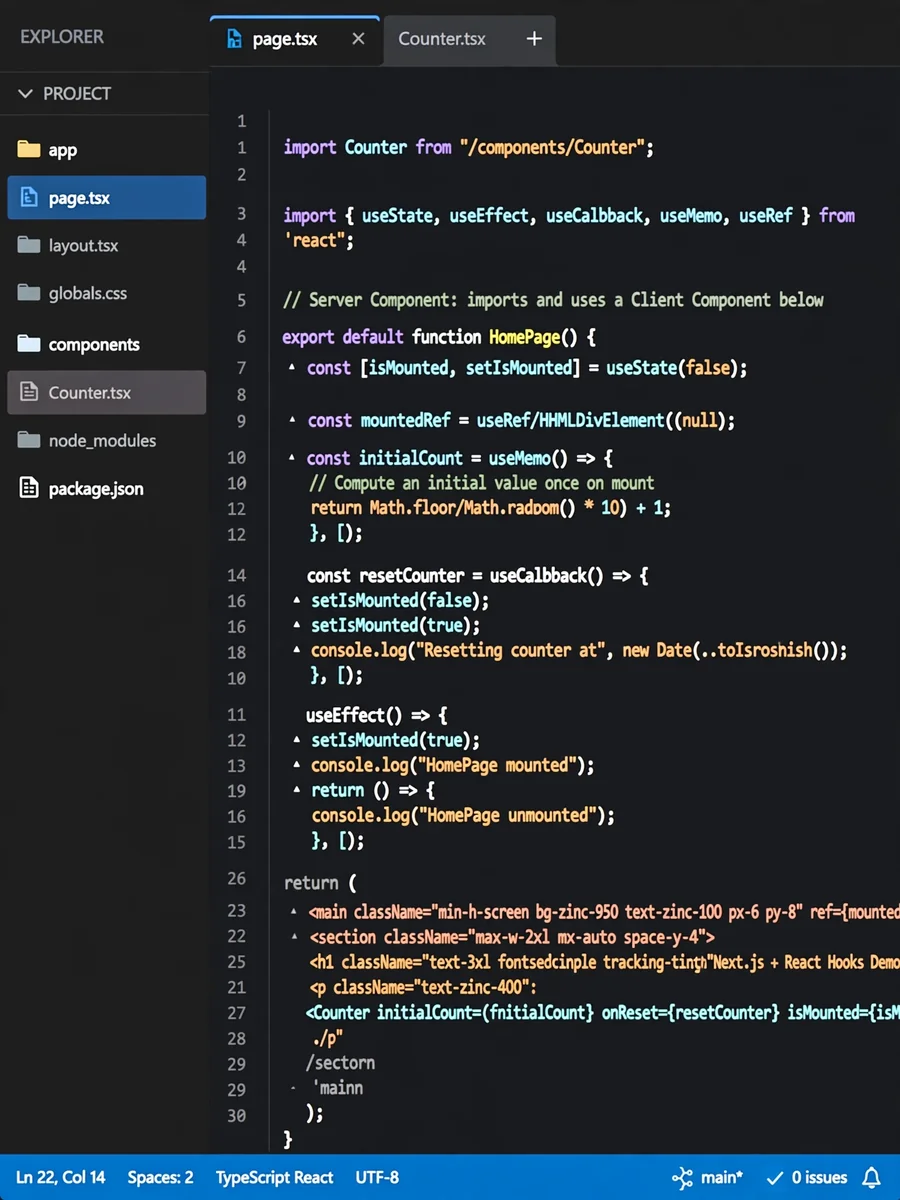
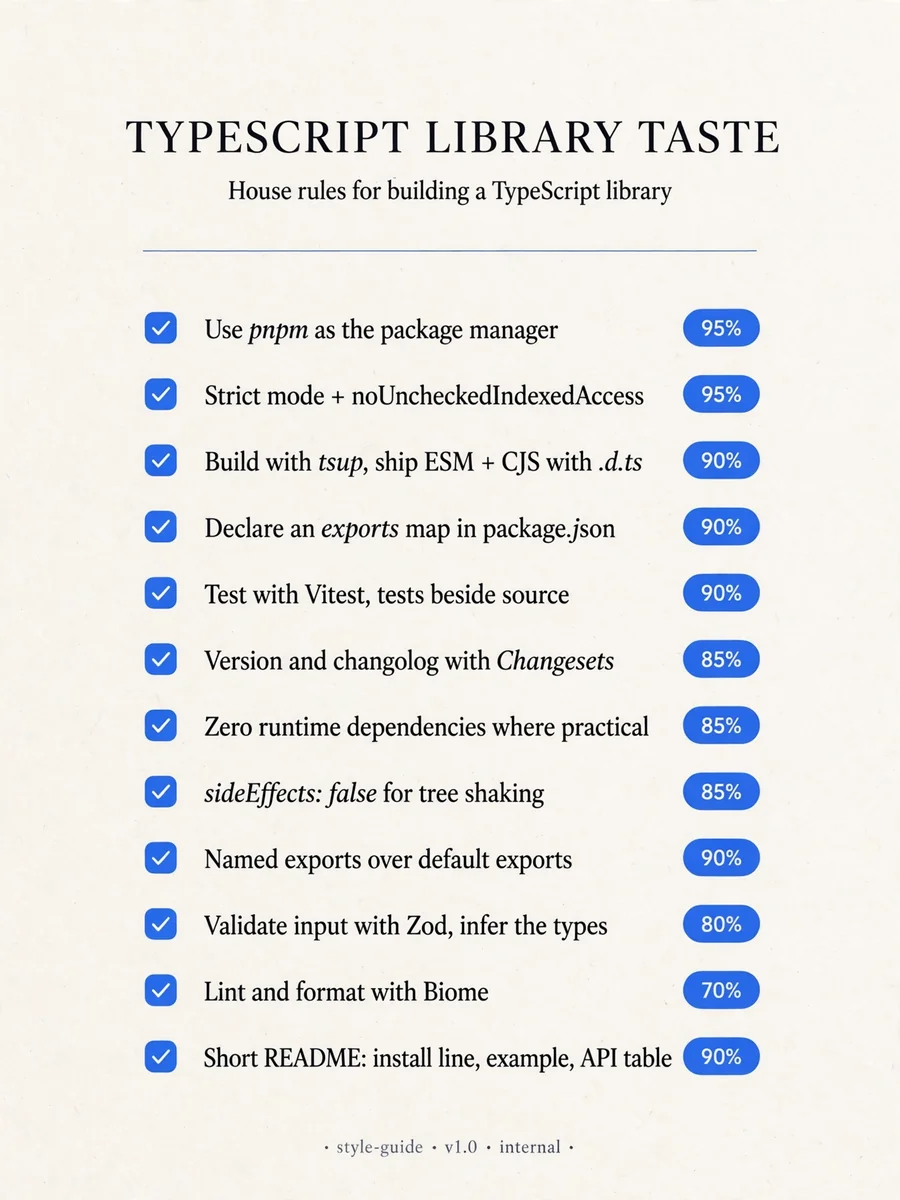
# Next.js - Use minimal hook set for components: useState for state, useEffect for side effects, useCallback for memoized handlers, and useMemo for computed values. Confidence: 0.85 - Never make page.tsx a client component. All client-side logic lives in components under /components, and page.tsx stays a server component. Confidence: 0.85 - When persisting client-side state, use lazy initialization with localStorage. Confidence: 0.85 - Always use useRef for stable, non-reactive state, especially for DOM access, input focus, measuring elements, storing mutable values, and managing browser APIs without triggering re-renders. Confidence: 0.85 - Use sr-only classes for accessibility labels. Confidence: 0.85 - Always use shadcn/ui as the component system for Next.js projects. Confidence: 0.85 - When setting up shadcn/ui, ensure globals.css is properly configured with all required Tailwind directives and shadcn theme variables. Confidence: 0.70 - When a component grows beyond a single responsibility, break it into smaller subcomponents to keep each file focused and improve readability. Confidence: 0.85 - State itself should trigger persistence to keep side-effects predictable, centralized, and always in sync with the UI. Confidence: 0.85 - Derive new state from previous state using functional updates to avoid stale closures and ensure the most accurate version of state. Confidence: 0.85
Make it yours
Describe one change and free AI rewrites this prompt for you.
Works with
ChatGPT, Gemini, Claude - copy and paste. For images, use it with Midjourney, DALL-E, or Gemini image mode.
Tip: swap names, colors, or details to make it yours. Shorter prompts often work better - remove lines you don't need.
Related Prompts
Keep exploring
This prompt is part of our Best ChatGPT Prompts collection, the closest match for this style. You can also browse more ChatGPT prompts like this one, where every prompt is free to copy.
For ideas beyond this topic, explore the newest prompts on the homepage.