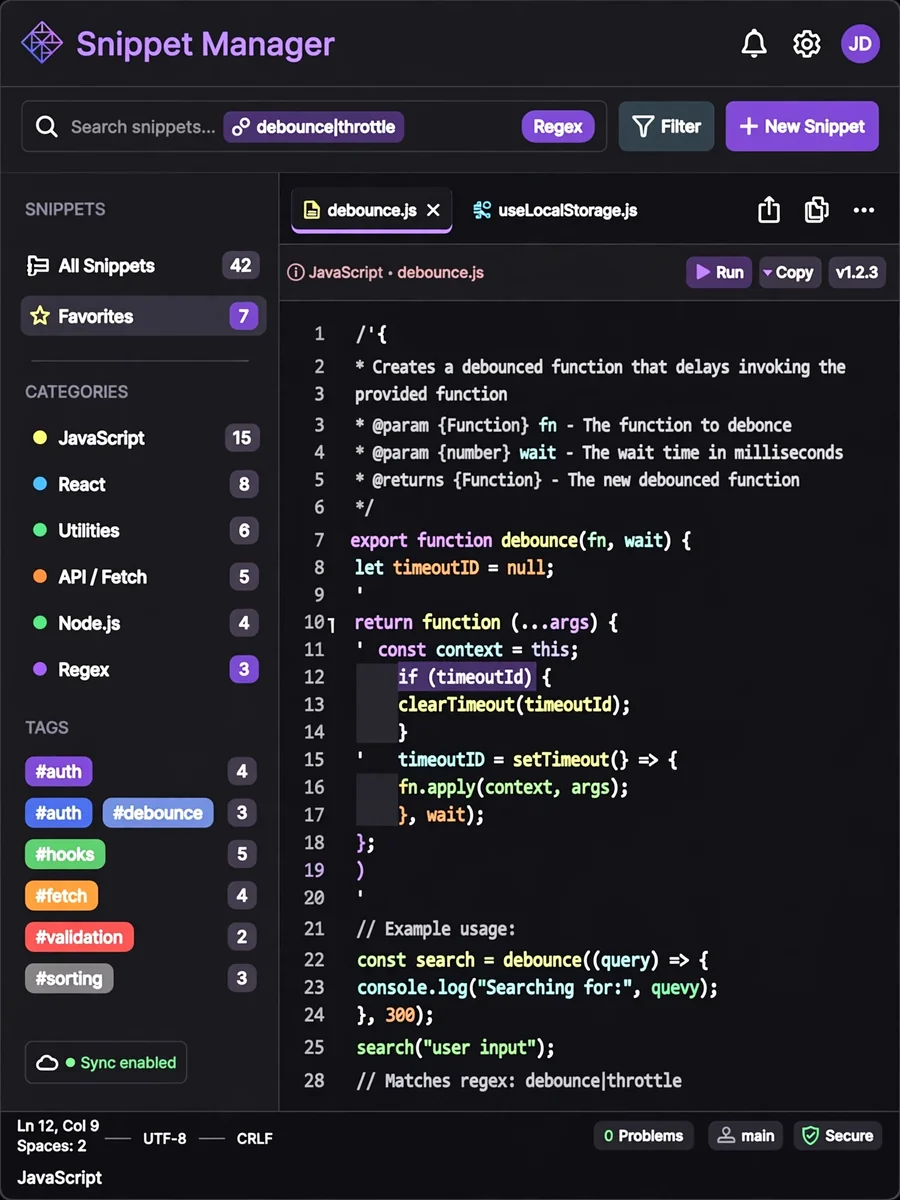
Code Snippet Manager — ChatGPT Prompt
The Prompt
Build a developer-focused code snippet manager using HTML5, CSS3, and JavaScript. Create a clean IDE-like interface with syntax highlighting for 30+ programming languages. Implement a tagging and categorization system for organizing snippets. Add a powerful search function with support for regex and filtering by language/tags. Include code editing with line numbers, indentation guides, and bracket matching. Support public/private visibility settings for each snippet. Implement export/import functionality in JSON and Gist formats. Add keyboard shortcuts for common operations. Create a responsive design that works well on all devices. Include automatic saving with version history. Add copy-to-clipboard functionality with syntax formatting preservation.
Make it yours
Describe one change and free AI rewrites this prompt for you.
Works with
ChatGPT, Gemini, Claude - copy and paste. For images, use it with Midjourney, DALL-E, or Gemini image mode.
Tip: swap names, colors, or details to make it yours. Shorter prompts often work better - remove lines you don't need.
Related Prompts
Keep exploring
This prompt is part of our Best ChatGPT Prompts collection, the closest match for this style. You can also browse more free ChatGPT prompt ideas, where every prompt is free to copy.
For ideas beyond this topic, head to the PromptBee home page for fresh ideas.