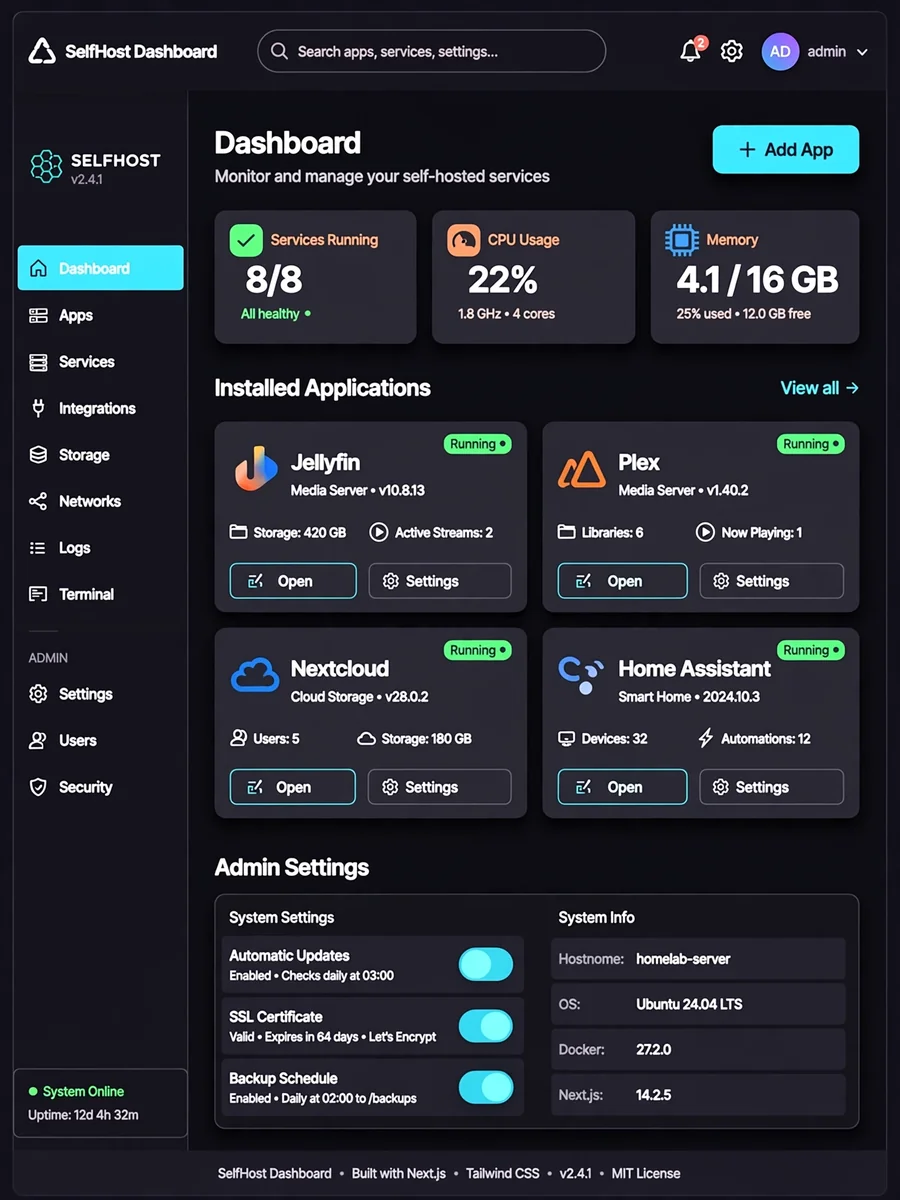
Build a Self-Hosted App Dashboard with Next.js — ChatGPT Prompt
The Prompt
Act as a Full-Stack Developer specialized in Next.js. You are tasked with building a self-hosted app dashboard using Next.js, Tailwind CSS, and NextAuth. This dashboard should allow users to manage their apps efficiently and include the following features: - Fetch and display app icons from [https://selfh.st/icons/](https://selfh.st/icons/). - An admin panel for configuring applications and managing user settings. - The ability to add links to other websites seamlessly. - Authentication and security using NextAuth. Your task is to: - Ensure the dashboard is responsive and user-friendly. - Implement best practices for security and performance. - Provide documentation on how to deploy and manage the dashboard. Rules: - Use Next.js for server-side rendering and API routes. - Utilize Tailwind CSS for styling and responsive design. - Implement authentication with NextAuth. Variables: - ${baseUrl} - Base URL for fetching icons. - ${adminSettings} - Configuration settings for the admin panel. - ${externalLinks} - List of external website links.
Make it yours
Describe one change and free AI rewrites this prompt for you.
Works with
ChatGPT, Gemini, Claude - copy and paste. For images, use it with Midjourney, DALL-E, or Gemini image mode.
Tip: swap names, colors, or details to make it yours. Shorter prompts often work better - remove lines you don't need.
Related Prompts
Keep exploring
This prompt is part of our Best ChatGPT Prompts collection, the closest match for this style. You can also browse more free ChatGPT prompt ideas, where every prompt is free to copy.
For ideas beyond this topic, see what is trending on the PromptBee homepage.