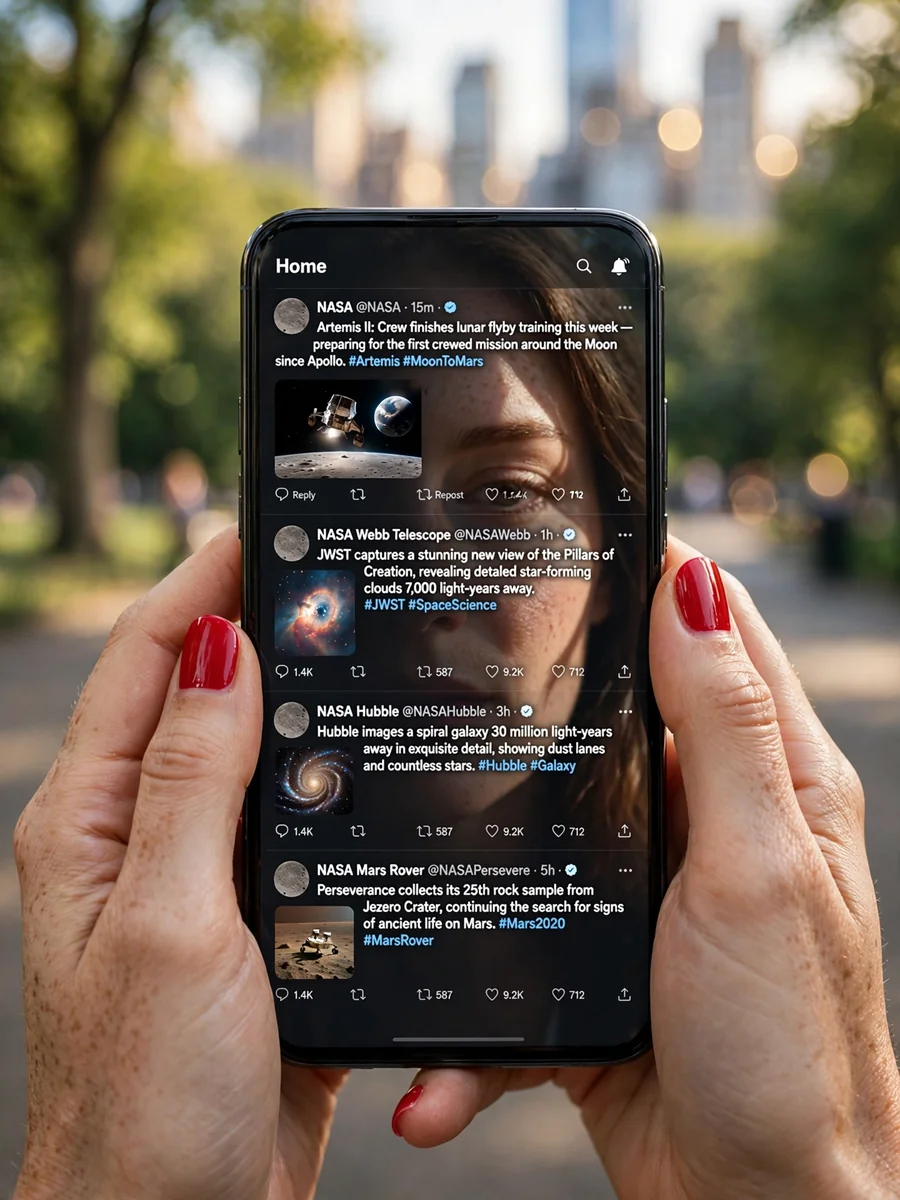
POV Smartphone with Space-Themed Twitter UI in Central Park — ChatGPT Prompt
The Prompt
Capture a photograph from the viewer’s eyes (female), holding a modern smartphone at chest height with both hands. Her nails are glossy red nail polish with a clean manicure. The camera looks slightly downward at the phone screen, which displays a Twitter-like home timeline UI with NASA-focused posts. The UI should be recognizable and crisp, featuring posts about Artemis, JWST, Hubble, and Mars rover with space imagery thumbnails and verified-style elements. Ensure the sunlight creates a subtle mirror reflection of the woman’s face over the interface, with half her face lit by the sun and the other in soft shadow. Maintain natural skin texture without a beauty-filter look. Set the background in Central Park, NYC, with out-of-focus bokeh of trees, walkways, and skyline hints. Use a full-frame DSLR look with a 50mm or 85mm lens at f/1.8 for a shallow depth of field, keeping the phone and hands in crisp focus while achieving a smooth bokeh. Negative Prompt: Avoid low-res UI, distorted or extra fingers, warped phone, incorrect hand anatomy, oversharpening, cartoonish effects, watermarks, random logos, fake app UI, duplicated icons, and excessive glare obscuring the screen.
Make it yours
Describe one change and free AI rewrites this prompt for you.
Works with
ChatGPT, Gemini, Claude - copy and paste. For images, use it with Midjourney, DALL-E, or Gemini image mode.
Tip: swap names, colors, or details to make it yours. Shorter prompts often work better - remove lines you don't need.
Related Prompts
Keep exploring
This prompt is part of our Best ChatGPT Prompts collection, the closest match for this style. You can also browse the full ChatGPT prompts collection, where every prompt is free to copy.
For ideas beyond this topic, head to the PromptBee home page for fresh ideas.