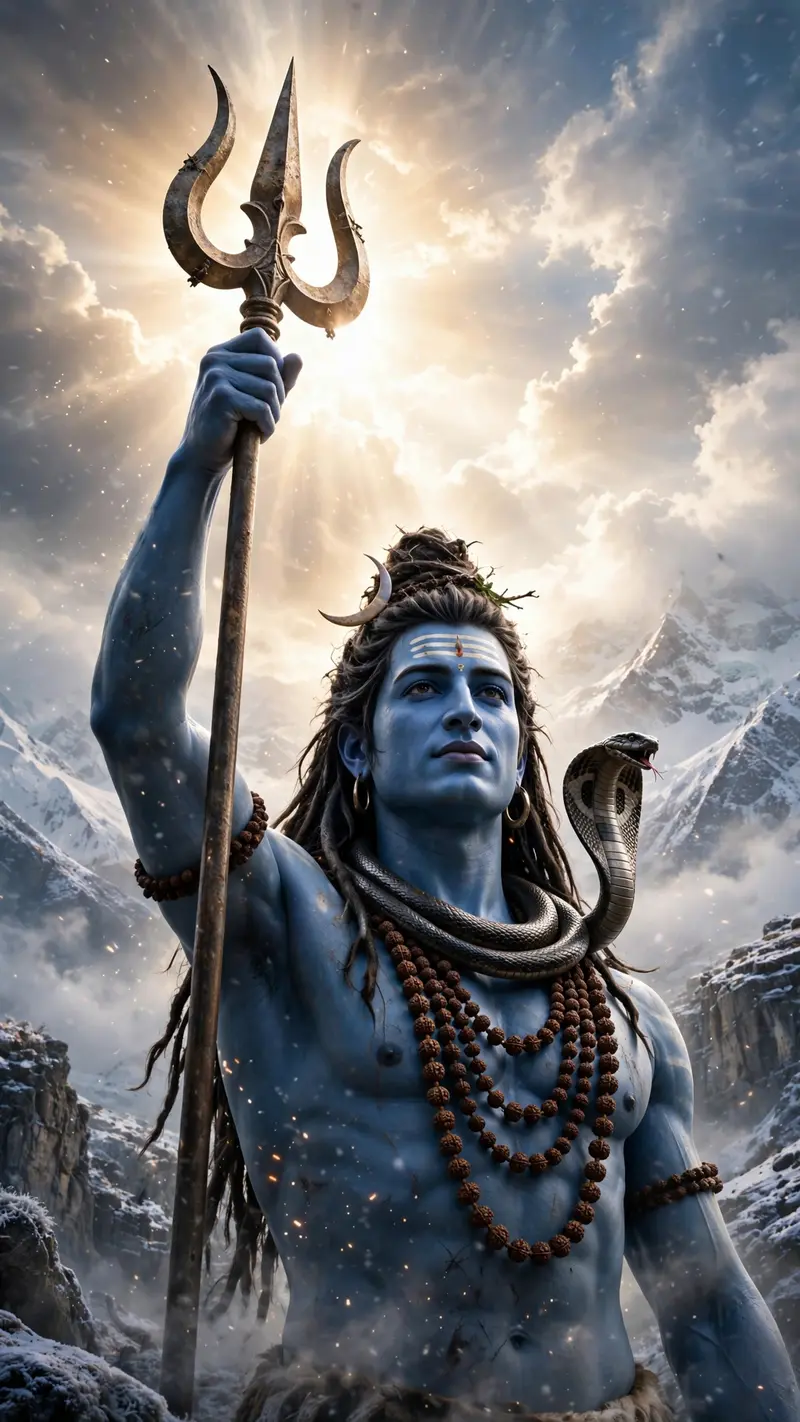
Maa Parvati Video
The Prompt
Create a 10-second photorealistic cinematic high-fantasy Indian mythology video in 9:16 vertical format, 1080x1920, 24fps. Use OmniFlash. Begin with a macro close-up of a highly realistic large cobra with detailed scales and a subtly flickering tongue under cold blue-white divine lighting. Slowly reveal the cobra coiled around the muscular blue-skinned neck of Lord Shiva. Move downward to reveal his powerful blue torso adorned with multiple strands of rudraksha beads, realistic skin texture and a subtle divine aura. Cut to a close-up of his powerful blue hand gripping an ancient weathered metallic trishul. Slowly tilt upward to reveal Lord Shiva's face with striking blue skin, long matted dreadlocks (jata), a crescent moon in his hair, and a serene yet immensely powerful expression. Show a majestic close-up of his forehead with three horizontal white Tripundra ash lines and a central red mark. Move into an extreme close-up of his divine eyes showing tranquility, ancient wisdom and immense power, with subtle ash particles and light sparks floating around him. Finish with a wide low-angle epic shot of Lord Shiva standing majestically against bright clouds and snowy Himalayan peaks, holding the trident. The cobra subtly raises its hood while Shiva remains perfectly calm and still. End with Shiva raising the trident as brilliant divine light breaks through the clouds, forming a powerful halo around him, then slowly fade to black. Photorealistic 8K-quality detail, realistic skin, hair, rudraksha, metal, snow and atmospheric effects, dramatic cinematic lighting, epic scale, smooth natural motion. No BGM, no text, no captions, no subtitles, no watermark.
Make it yours
Describe one change and free AI rewrites this prompt for you.
Works with
CapCut, VN Video Editor, Runway, Pika, Kaiber - paste the prompt or use it as a video idea.
Tip: swap names, colors, or details to make it yours. Shorter prompts often work better - remove lines you don't need.
How to use this video prompt (step by step)
In CapCut: 1) Open CapCut and start a new project. 2) Add your clips or photos in the order the prompt describes. 3) Tap "Text" to add the captions from the prompt. 4) Go to "Effects" and pick transitions that match the mood. 5) Export in 1080p and share.
In VN Video Editor: 1) Create a new project in VN. 2) Import your media following the prompt's shot list. 3) Use the "Text" tool for titles and the "Music" tab for trending audio. 4) Apply filters lightly - don't overdo it. 5) Export and post.
In AI video tools (Runway, Pika, Kaiber): Copy the prompt above and paste it directly as your text prompt. Adjust the camera-movement words (like "slow zoom" or "pan left") to control the motion.