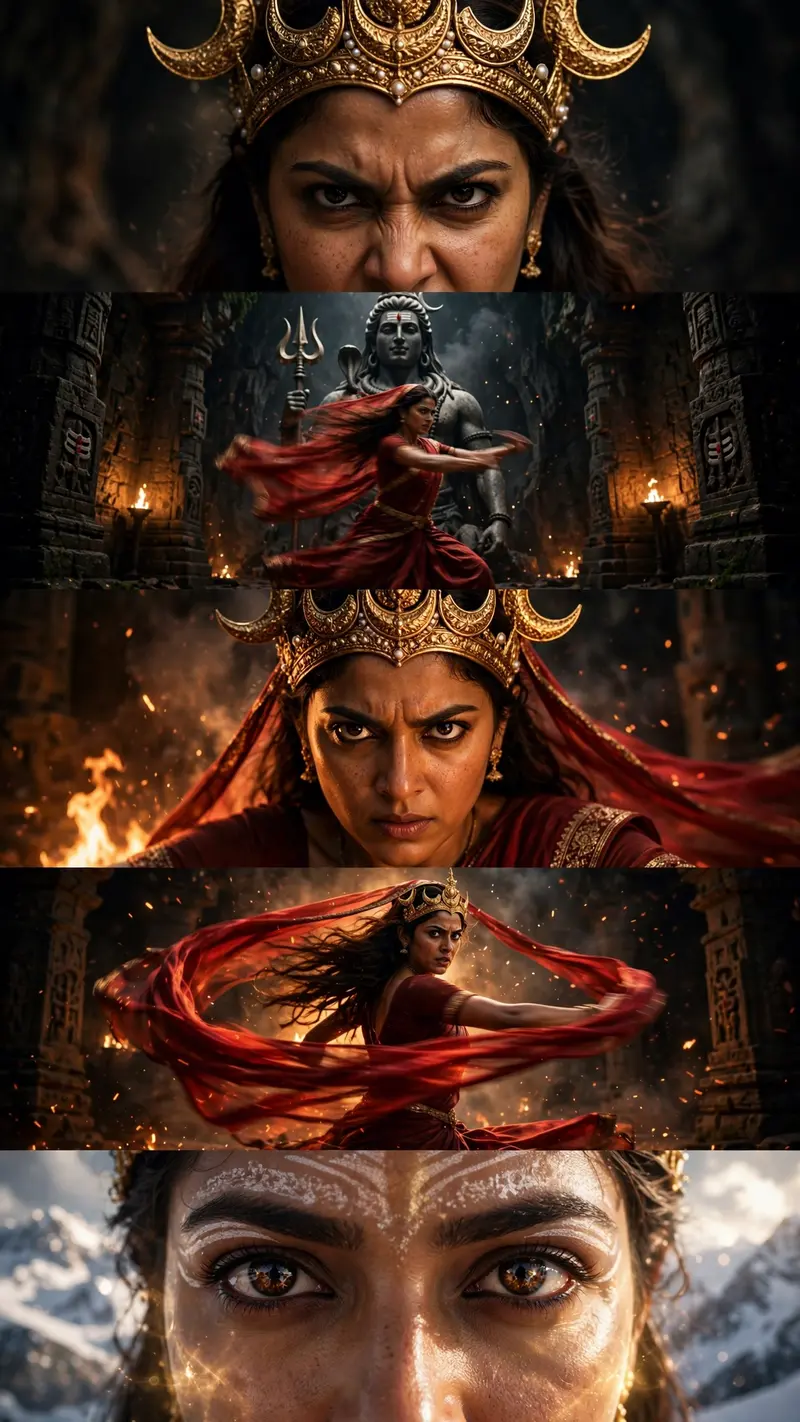
Maa Parvati Mythology Video Prompt
The Prompt
Create a 10-second photorealistic cinematic high-fantasy Indian mythology video in 9:16 vertical format, 1080x1920, 24fps. Use OmniFlash. Continue with the same female protagonist and maintain absolute facial identity consistency using the provided reference image. Begin with a powerful close-up of the woman wearing an elaborate golden crown decorated with crescent moons, her expression fierce, intense and warrior-like. Transition to a dark ancient cavernous Shiva temple illuminated by flickering orange firelight. She wears the deep-red sari and begins an intense, dynamic classical dance. Show her spinning rapidly as her red sari, flowing veil and long dark hair move dramatically with realistic motion blur. Reveal a colossal dark stone statue of Lord Shiva holding a trident behind her while smoke and glowing embers fill the temple. Show an emotional close-up of her face during the dance, with realistic skin texture, intense eyes and warm firelight. In slow motion, show her swirling a long red silk veil around her body as it catches the firelight. Transition to the snowy Himalayan exterior where she looks toward the sky as bright cold sunlight breaks through the clouds and illuminates her face. Move into an extreme close-up of her eyes with intricate white tilak markings around her eyes and forehead, highly detailed deep-brown irises, and reflections of snowy mountains in her pupil. Her eyes slowly blink and open as a subtle divine golden glow emerges from her face. Photorealistic textures, dramatic lighting, cinematic depth of field, epic mythology atmosphere, smooth transitions, natural movement. No BGM, no text, no captions, no subtitles, no watermark.
Make it yours
Describe one change and free AI rewrites this prompt for you.
Works with
CapCut, VN Video Editor, Runway, Pika, Kaiber - paste the prompt or use it as a video idea.
Tip: swap names, colors, or details to make it yours. Shorter prompts often work better - remove lines you don't need.
How to use this video prompt (step by step)
In CapCut: 1) Open CapCut and start a new project. 2) Add your clips or photos in the order the prompt describes. 3) Tap "Text" to add the captions from the prompt. 4) Go to "Effects" and pick transitions that match the mood. 5) Export in 1080p and share.
In VN Video Editor: 1) Create a new project in VN. 2) Import your media following the prompt's shot list. 3) Use the "Text" tool for titles and the "Music" tab for trending audio. 4) Apply filters lightly - don't overdo it. 5) Export and post.
In AI video tools (Runway, Pika, Kaiber): Copy the prompt above and paste it directly as your text prompt. Adjust the camera-movement words (like "slow zoom" or "pan left") to control the motion.