House Lifting Video
The Prompt
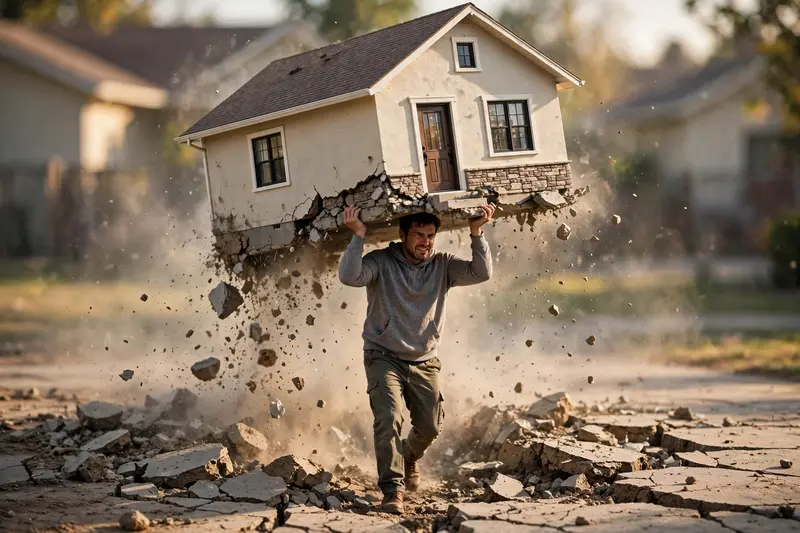
Create a 4K cinematic realistic video using my uploaded photo as the fixed base reference. Keep the exact same house/building from the image unchanged in design and position, and the same person stands beside it. The ground cracks and shakes, then the person naturally grips that same house and pulls it out from its real foundation no new or different building appears. Dust and debris fall as it breaks free. He lifts it onto his forehead/head and walks forward carrying it. Real physics motion, natural body movement, cloth dynamics soft sunlight, true shadows, shallow depth of field, hyper-real live-action look, no exaggeration
Make it yours
Describe one change and free AI rewrites this prompt for you.
Works with
CapCut, VN Video Editor, Runway, Pika, Kaiber - paste the prompt or use it as a video idea.
Tip: swap names, colors, or details to make it yours. Shorter prompts often work better - remove lines you don't need.
How to use this video prompt (step by step)
In CapCut: 1) Open CapCut and start a new project. 2) Add your clips or photos in the order the prompt describes. 3) Tap "Text" to add the captions from the prompt. 4) Go to "Effects" and pick transitions that match the mood. 5) Export in 1080p and share.
In VN Video Editor: 1) Create a new project in VN. 2) Import your media following the prompt's shot list. 3) Use the "Text" tool for titles and the "Music" tab for trending audio. 4) Apply filters lightly - don't overdo it. 5) Export and post.
In AI video tools (Runway, Pika, Kaiber): Copy the prompt above and paste it directly as your text prompt. Adjust the camera-movement words (like "slow zoom" or "pan left") to control the motion.