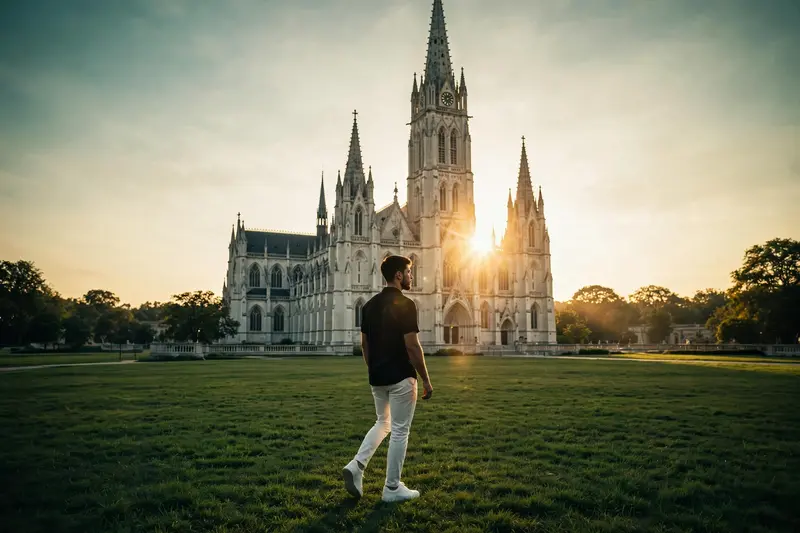
Golden Hour Cathedral Video
The Prompt
"A cinematic ultra-realistic 8K video of a young man with short dark hair and light beard, wearing a black half-sleeve shirt and white trousers with white sneakers, at a grand white Gothic cathedral with tall spires and a clock tower, golden-hour to bright daylight lighting. Scene 1: Silhouette shot - he walks toward the cathedral across a wide green lawn, warm golden sunlight flaring behind the building, dramatic backlit silhouette, cinematic wide shot. Scene 2: Wide shot - he stands on the lawn facing the cathedral with arms spread wide open, warm sunlight streaming through tree branches above, blue sky with soft clouds, joyful expansive pose. Scene 3: Low-angle close-up - he tilts his head back with eyes closed, hand behind his neck, the cathedral's clock tower rising dramatically behind him, soft warm light on his face, peaceful confident expression. Scene 4: Wide golden-hour shot - he walks across a sunlit green and golden field with the illuminated cathedral in the background, warm glowing light, cinematic lens flare. Scene 5: Wide shot - he walks along a paved pathway beside neatly trimmed green hedges in front of the cathedral, cool teal-toned daylight, candid natural walking motion. Scene 6: Medium shot - he walks confidently across the lawn with the full cathedral facade and clock tower behind him, bright blue sky, crisp cinematic teal-and-gold color grade. Scene 7: Final shot - he stands on the lawn adjusting his sleeve, cathedral and scaffolding softly visible behind him, natural candid moment, warm afternoon light, cinematic close-to-medium framing. Overall style: same face, same body, same black shirt and white pants outfit consistent in every scene, no identity change, realistic skin and fabric texture, same white Gothic cathedral location throughout, warm golden-teal cinematic color grading, natural sunlight and lens flares, filmic contrast, smooth cinematic transitions, ultra-realistic 8K quality, continuous story flow from start to end, no scene skipped."
Works with
CapCut, VN Video Editor, Runway, Pika, Kaiber - paste the prompt or use it as a video idea.
Tip: swap names, colors, or details to make it yours. Shorter prompts often work better - remove lines you don't need.
How to use this video prompt (step by step)
In CapCut: 1) Open CapCut and start a new project. 2) Add your clips or photos in the order the prompt describes. 3) Tap "Text" to add the captions from the prompt. 4) Go to "Effects" and pick transitions that match the mood. 5) Export in 1080p and share.
In VN Video Editor: 1) Create a new project in VN. 2) Import your media following the prompt's shot list. 3) Use the "Text" tool for titles and the "Music" tab for trending audio. 4) Apply filters lightly - don't overdo it. 5) Export and post.
In AI video tools (Runway, Pika, Kaiber): Copy the prompt above and paste it directly as your text prompt. Adjust the camera-movement words (like "slow zoom" or "pan left") to control the motion.