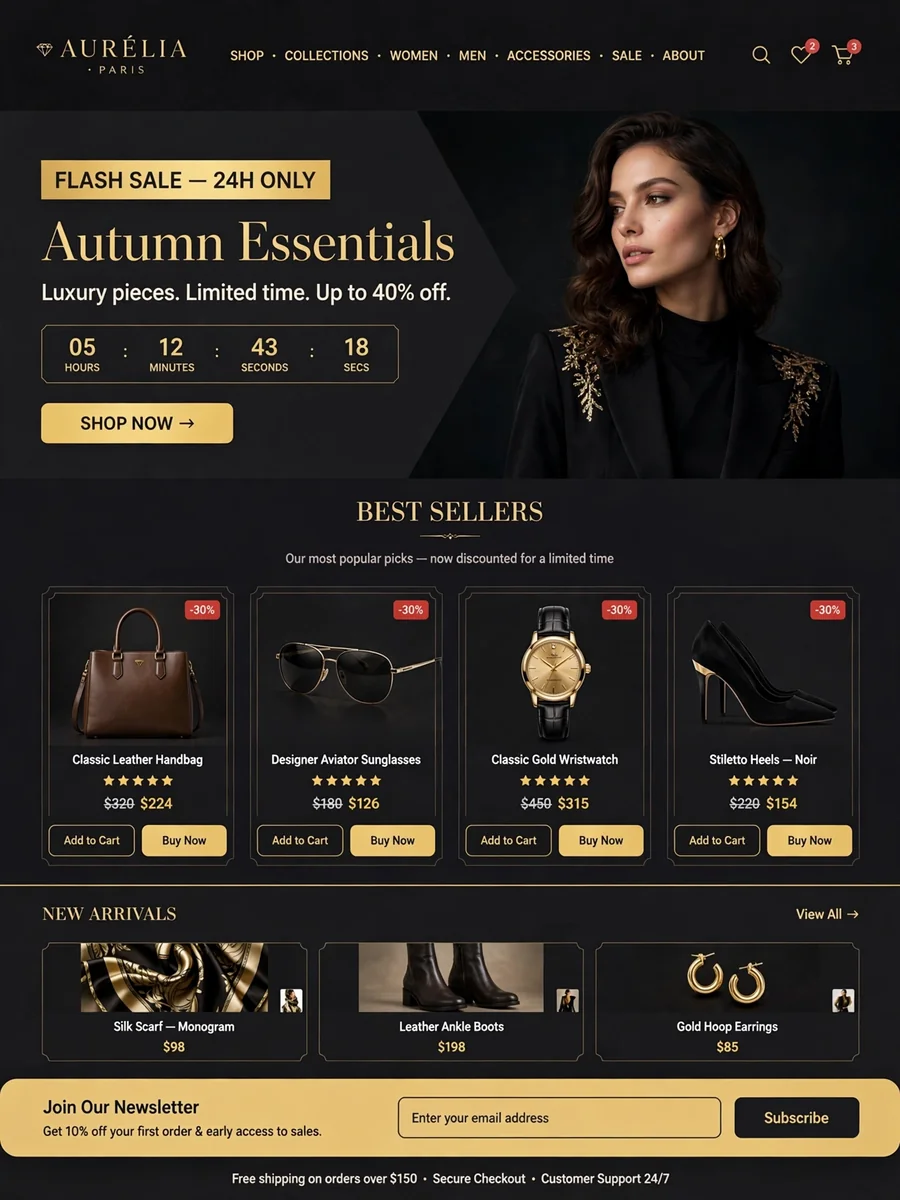
Act as an E COMMERCE WEBSITE — ChatGPT Prompt
The Prompt
Here’s a strong **copy-paste prompt** you can use with ChatGPT, Claude, Gemini, or an AI website builder: Act as a senior full-stack web developer and UI/UX designer. I want you to build a modern, professional, fully responsive **e-commerce website** from scratch. ### Goal Create a clean and attractive online shopping website suitable for a real business. The website should work smoothly on mobile, tablet, and desktop. ### Technology Use: * HTML5 * CSS3 * JavaScript * Use a single HTML file with CSS and JavaScript included inside it. * Do not use a backend unless absolutely necessary. * Use clean, well-organized, beginner-friendly code. ### Website Features 1. **Header/Navbar** * Professional logo/store name * Home * Shop * Categories * About * Contact * Search icon/bar * Shopping cart icon with item count * Login/Register button 2. **Hero Section** * Large promotional banner * Attractive headline * Short description * "Shop Now" button * Modern e-commerce design 3. **Categories** Create attractive category cards such as: * Electronics * Fashion * Shoes * Accessories * Beauty * Home & Living 4. **Product Section** Display multiple product cards containing: * Product image * Product name * Rating * Original price * Discounted price * Discount percentage * "Add to Cart" button * "Buy Now" button * Wishlist/heart button 5. **Product Search & Filter** Add working JavaScript functionality for: * Product search * Category filtering * Price sorting * Rating sorting 6. **Shopping Cart** Create a functional cart where users can: * Add products * Remove products * Increase/decrease quantity * See subtotal * See total price * Clear cart 7. **Checkout** Create a professional checkout page/section with: * Customer name * Email * Phone * Address * City * State * PIN code * Payment method * Order summary * Place Order button 8. **Special Sections** Add: * Flash Sale * Best Sellers * New Arrivals * Customer Reviews * Newsletter subscription 9. **Footer** Include: * About the store * Quick links * Customer support * Privacy Policy * Terms & Conditions * Social media icons * Copyright ### Design Requirements * Premium and modern UI * Clean typography * Attractive product cards * Smooth hover animations * Responsive layout * Mobile-friendly hamburger menu * Good spacing and alignment * Professional color scheme * Smooth scrolling * Accessible buttons and forms * Add subtle animations without making the website slow ### JavaScript Requirements Make the following features actually work: * Search * Category filtering * Sorting * Add to cart * Remove from cart * Quantity controls * Cart total calculation * Wishlist button * Mobile navigation * Checkout form validation * Order confirmation message Use sample products and realistic product images from publicly accessible image URLs. ### Important Do not give me only an explanation. **Build the complete working website code.** Return the complete code in one HTML file that I can save as `index.html` and open directly in a browser. Make the final result look like a professional real-world e-commerce website rather than a basic demo. I can also create a **complete working e-commerce website from this prompt** and give you the HTML/CSS/JavaScript code.
Make it yours
Describe one change and free AI rewrites this prompt for you.
Works with
ChatGPT, Gemini, Claude - copy and paste. For images, use it with Midjourney, DALL-E, or Gemini image mode.
Tip: swap names, colors, or details to make it yours. Shorter prompts often work better - remove lines you don't need.
Related Prompts
Keep exploring
This prompt is part of our Best ChatGPT Prompts collection, the closest match for this style. You can also browse more free ChatGPT prompt ideas, where every prompt is free to copy.
For ideas beyond this topic, explore the newest prompts on the homepage.