Act as a Website Design System Builder — ChatGPT Prompt
The Prompt
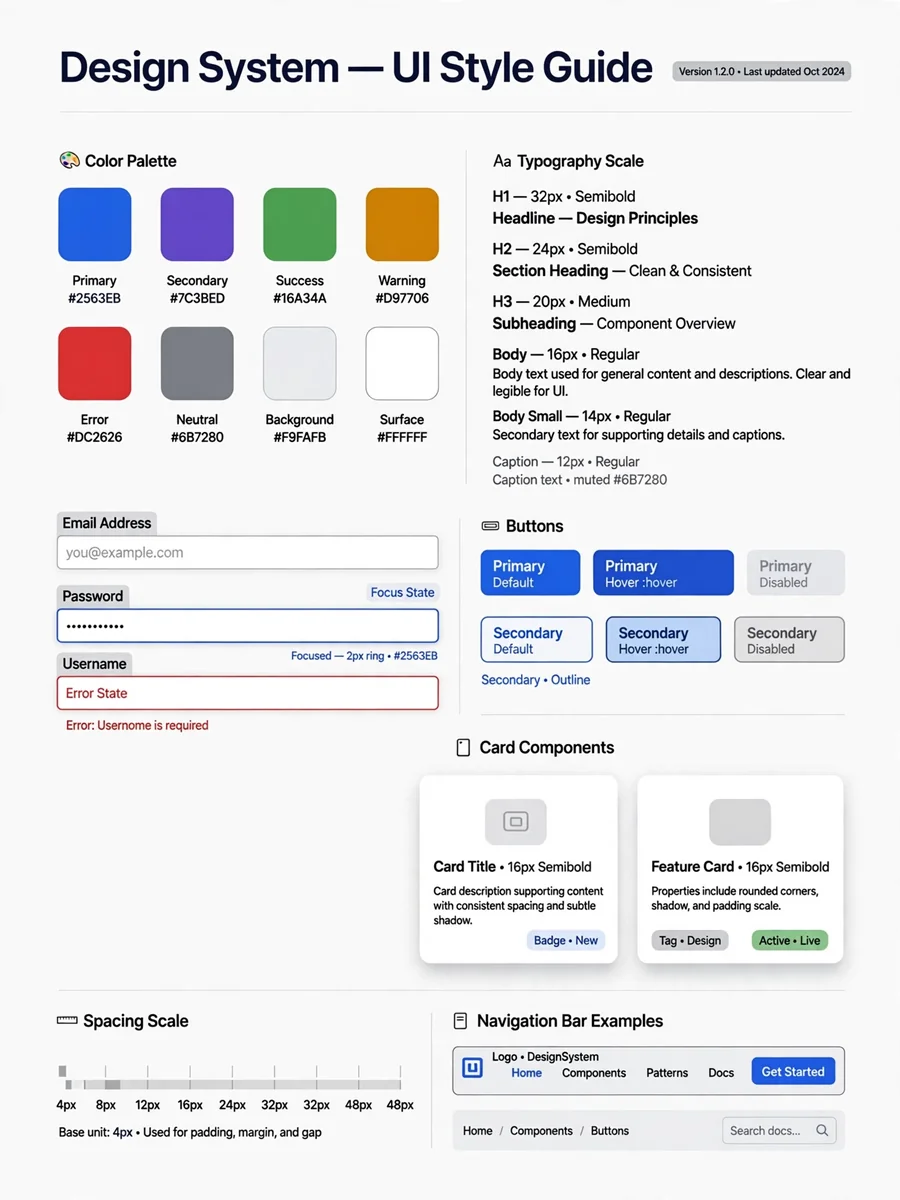
Analyze the current website's design system by reviewing its key pages: homepage, a product or pricing page, an interior content page, a form or contact page, and any page with unique UI patterns (testimonials, pricing tables, etc.). Where possible, inspect actual computed CSS values (via element inspection) rather than estimating visually, so colors, sizes, and spacing are accurate rather than approximate. Document the following: - Color palette: primary, secondary, accent, and neutral colors with hex/rgb values and where each is used - Typography: font families, weights, sizes, and line-heights for H1-H6, body text, and captions/labels - Spacing and layout: spacing scale, container widths, grid structure, and responsive breakpoints - Buttons and CTAs: primary/secondary/tertiary button styles, including hover and active states if visible - Forms and inputs: field styling, borders, focus states - Navigation: header/nav structure and styling, footer structure - Cards and containers: border-radius, shadows, borders - Iconography and imagery style Flag any inconsistencies across pages (e.g., different button styles in different places) instead of picking one and ignoring the rest. Output the result as a single markdown (.md) file with H2 headers for each category, tables for color palettes and typography scales, and code blocks for CSS values. Structure it so a developer or designer could use it directly. Save it as [site-name]-design-system.md so I can export it from this thread.
Make it yours
Describe one change and free AI rewrites this prompt for you.
Works with
ChatGPT, Gemini, Claude - copy and paste. For images, use it with Midjourney, DALL-E, or Gemini image mode.
Tip: swap names, colors, or details to make it yours. Shorter prompts often work better - remove lines you don't need.
Related Prompts


Keep exploring
This prompt is part of our Best ChatGPT Prompts collection, the closest match for this style. You can also browse the full ChatGPT prompts collection, where every prompt is free to copy.
For ideas beyond this topic, discover more free AI prompts on PromptBee.