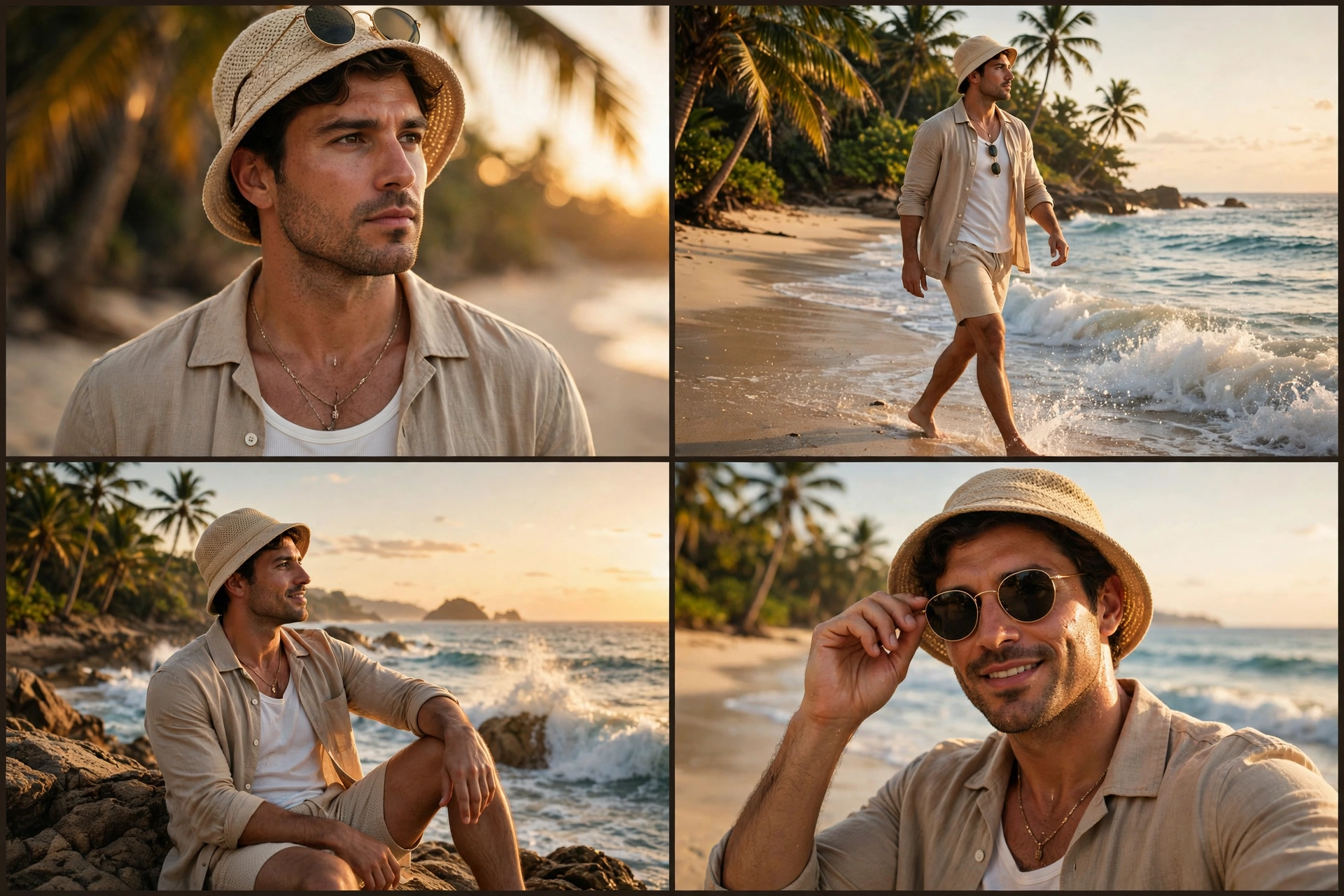
Cinematic Beach Collage
The Prompt
Ultra-realistic DSLR cinematic beach photoshoot collage featuring the SAME person from the uploaded reference image. Preserve face identity 100% exactly - same facial structure, hairstyle, beard shape, jawline, skin texture, expression style, body proportions, and natural appearance. Do NOT modify or beautify the face. Maintain original realistic Indian male look with authentic features. Create an Instagram portrait size 4-photo vertical collage (1080x1350) exactly like a trendy cinematic reel cover. Keep the SAME collage layout and framing style as the reference image. Scene: golden sunset beach with pastel orange-pink sky, soft ocean waves, wet reflective sand, dreamy tropical atmosphere, warm cinematic sunlight, shallow depth of field, realistic DSLR photography, highly detailed skin texture, soft natural color grading. Outfit: olive green linen shirt with rolled sleeves, beige cargo shorts, silver wrist watch, holding black round sunglasses. Photo 1: medium side-profile portrait looking towards the horizon, calm expression, ocean waves behind. Photo 2: close-up shot of hand holding black sunglasses near shorts pocket, cinematic focus blur background. Photo 3: back pose standing near shoreline facing ocean during sunset, relaxed posture. Photo 4: candid pose touching hair while smiling slightly, warm sunlight on face, soft breeze effect. Composition: exact same vertical stacked collage layout with thin borders between photos, aesthetic Instagram reel-cover style, smooth warm tones, balanced spacing, realistic shadows and lighting. Camera settings: DSLR quality, 85mm lens, f/1.8 aperture, ultra realistic, HDR, natural skin texture, cinematic travel photography style, 4K details. Negative prompt: blurry face, extra fingers, distorted body, cartoon look, over-editing, unrealistic skin, AI face changes, low quality, duplicate person, bad anatomy, overexposed lighting, watermark, text.
Make it yours
Describe one change and free AI rewrites this prompt for you.
Works with
CapCut, VN Video Editor, Runway, Pika, Kaiber - paste the prompt or use it as a video idea.
Tip: swap names, colors, or details to make it yours. Shorter prompts often work better - remove lines you don't need.
How to use this video prompt (step by step)
In CapCut: 1) Open CapCut and start a new project. 2) Add your clips or photos in the order the prompt describes. 3) Tap "Text" to add the captions from the prompt. 4) Go to "Effects" and pick transitions that match the mood. 5) Export in 1080p and share.
In VN Video Editor: 1) Create a new project in VN. 2) Import your media following the prompt's shot list. 3) Use the "Text" tool for titles and the "Music" tab for trending audio. 4) Apply filters lightly - don't overdo it. 5) Export and post.
In AI video tools (Runway, Pika, Kaiber): Copy the prompt above and paste it directly as your text prompt. Adjust the camera-movement words (like "slow zoom" or "pan left") to control the motion.