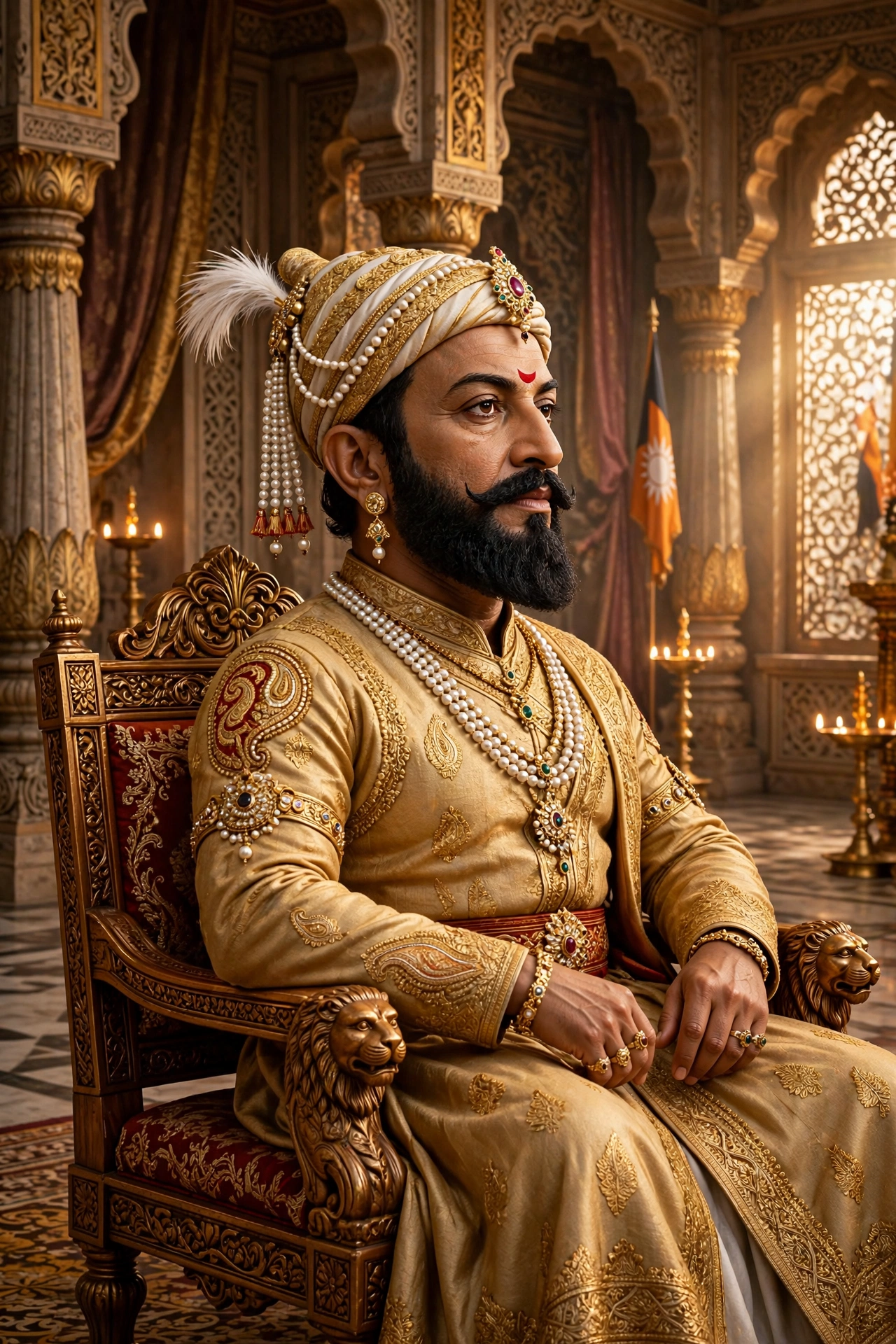
Chhatrapati Shivaji Maharaj Portrait Prompt
The Prompt
Use the uploaded image as face reference (same face, do not change identity, no distortion).Create a cinematic ultra-realistic portrait of a confident Indian man sitting on a modern grey fabric sofa. He is wearing a clean white shirt (slightly unbuttoned at the top) and fitted black pants with black formal loafers.His posture is powerful and relaxed - legs slightly apart, leaning forward slightly, one hand resting near his chin/mustache, giving intense eye contact and a dominant expression.Behind him, place a glowing golden ornate royal frame featuring a detailed artistic painting of Chhatrapati Shivaji Maharaj seated on a throne.Add warm neon glowing Marathi text: "जय हो शिवाजी महाराज की" behind the subject, integrated with the frame.Add a perfectly centered circular halo light behind the head of Shivaji Maharaj (not the person), creating a divine symmetrical composition.Background should be dark matte black with subtle texture and vignette.Lighting is dramatic and cinematic - strong contrast, soft highlights on face, deep shadows, warm golden rim light from the frame.Composition perfectly centered and symmetrical, subject in middle, sharp focus, shallow depth of field, ultra-detailed skin texture.8K resolution, ultra-realistic, cinematic color grading, luxury editorial look, powerful and royal vibe.
Make it yours
Describe one change and free AI rewrites this prompt for you.
Works with
ChatGPT, Gemini, Claude - copy and paste. For images, use it with Midjourney, DALL-E, or Gemini image mode.
Tip: swap names, colors, or details to make it yours. Shorter prompts often work better - remove lines you don't need.
Related Prompts
Keep exploring
Want more in this style? Browse the full Portrait prompts collection — every prompt there is free to copy and use.
For ideas beyond this topic, explore the newest prompts on the homepage.