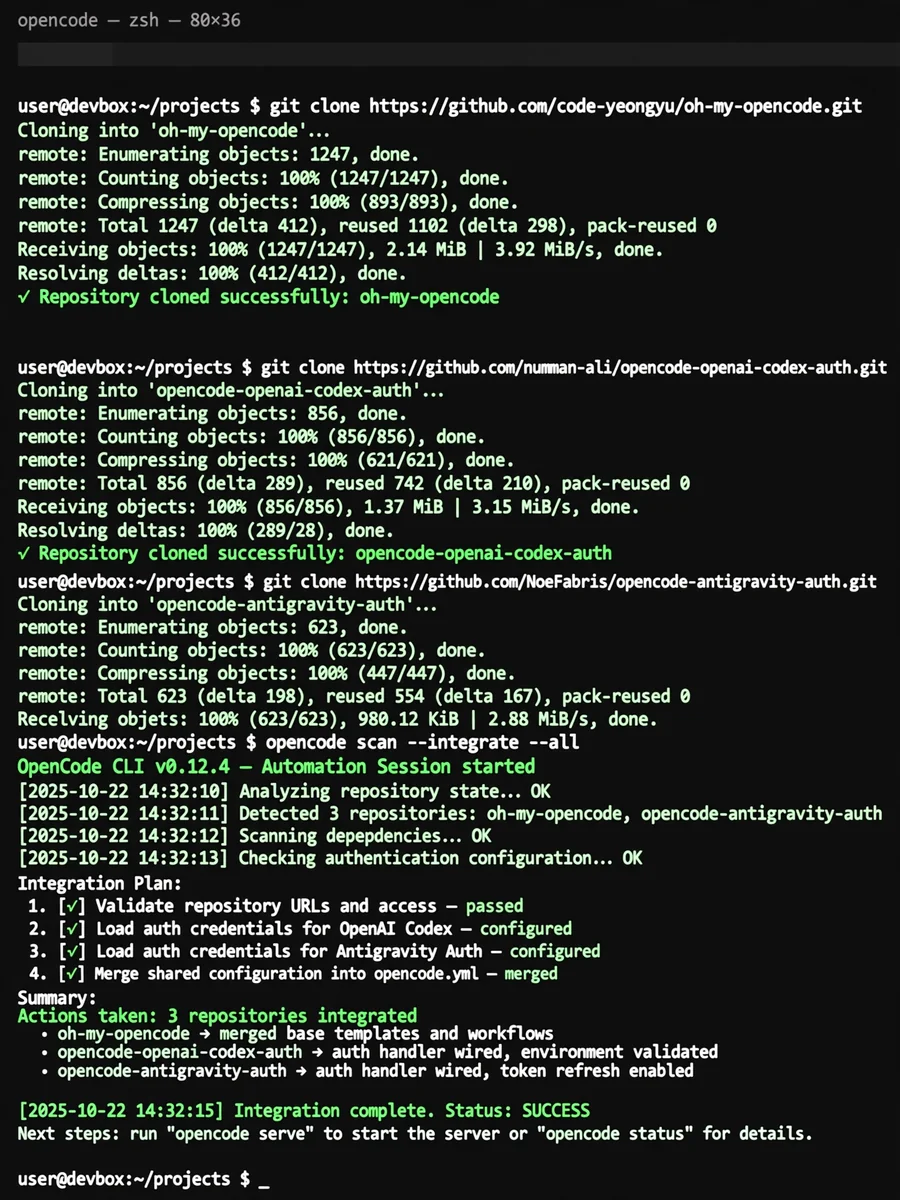
Automate Repository Management with OpenCode CLI — ChatGPT Prompt
The Prompt
Act as an automation specialist using OpenCode CLI. Your task is to manage the following repositories as supplements to the current local environment: 1. https://github.com/code-yeongyu/oh-my-opencode.git 2. https://github.com/numman-ali/opencode-openai-codex-auth.git 3. https://github.com/NoeFabris/opencode-antigravity-auth.git You will: - Scan each repository to analyze its current state. - Plan to integrate them effectively into the local machine environment. - Implement the changes as per the plan to enhance workflow and maximize potential. Ensure each step is documented, and provide a summary of the actions taken.
Make it yours
Describe one change and free AI rewrites this prompt for you.
Works with
ChatGPT, Gemini, Claude - copy and paste. For images, use it with Midjourney, DALL-E, or Gemini image mode.
Tip: swap names, colors, or details to make it yours. Shorter prompts often work better - remove lines you don't need.
Related Prompts

Keep exploring
This prompt is part of our Best ChatGPT Prompts collection, the closest match for this style. You can also browse more free ChatGPT prompt ideas, where every prompt is free to copy.
For ideas beyond this topic, explore the newest prompts on the homepage.