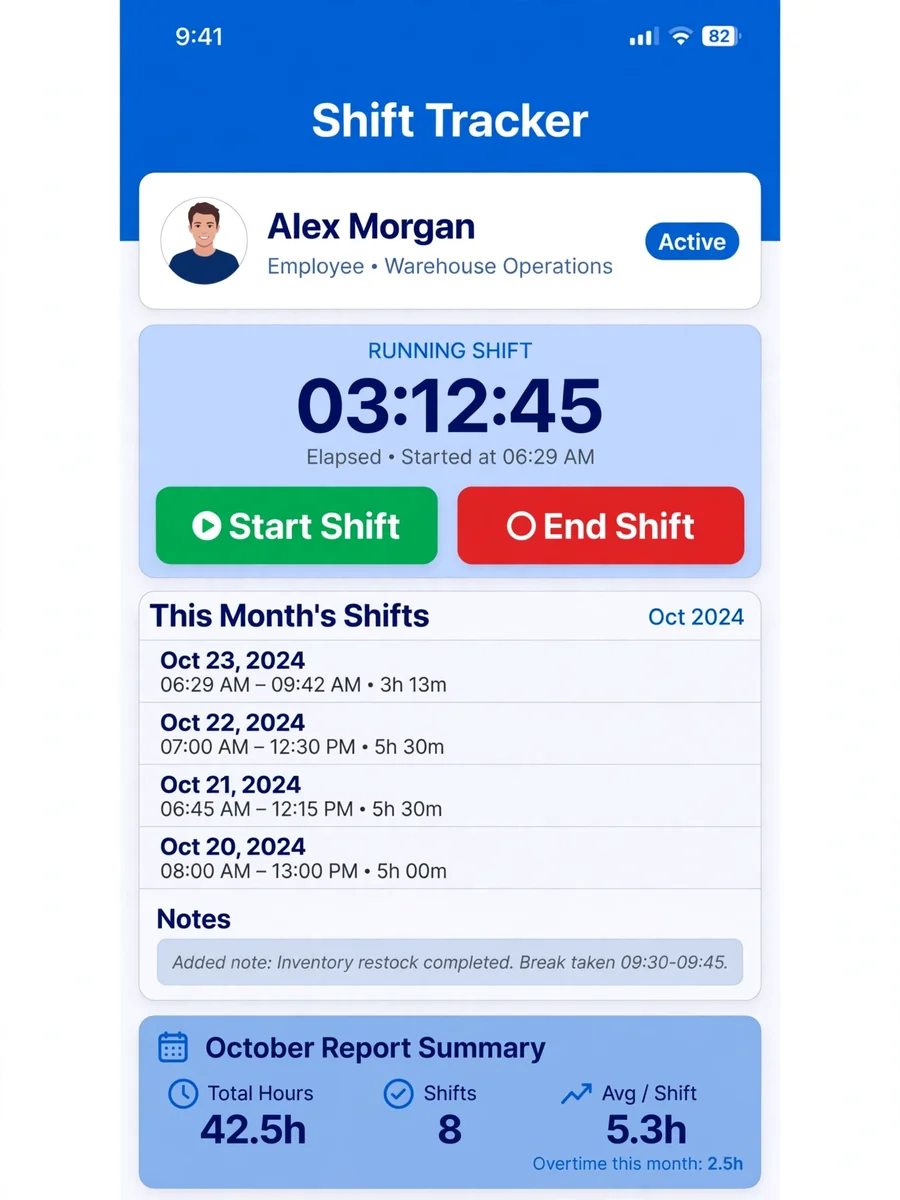
Time management and calculating for my employees to be signed in by email — ChatGPT Prompt
The Prompt
Using this app to record time of starting and ending shifts for multi workers to save the date,time and duration of each shift and giving a report in the end of each month.it can be run offline and online by starting counting time until the mobile is connected .each shift should not be more than ten hours continously in single shift.each worker has his own profile can see his own shifts reports and editing is not allowed only by the owner which is me. There is a space to leave a notes in each shift by worker or owner or both . The worker to sign in need to use there own email . There is a botton for start shift and end shift .
Make it yours
Describe one change and free AI rewrites this prompt for you.
Works with
ChatGPT, Gemini, Claude - copy and paste. For images, use it with Midjourney, DALL-E, or Gemini image mode.
Tip: swap names, colors, or details to make it yours. Shorter prompts often work better - remove lines you don't need.
Related Prompts


Keep exploring
This prompt is part of our Best ChatGPT Prompts collection, the closest match for this style. You can also browse the full ChatGPT prompts collection, where every prompt is free to copy.
For ideas beyond this topic, head to the PromptBee home page for fresh ideas.