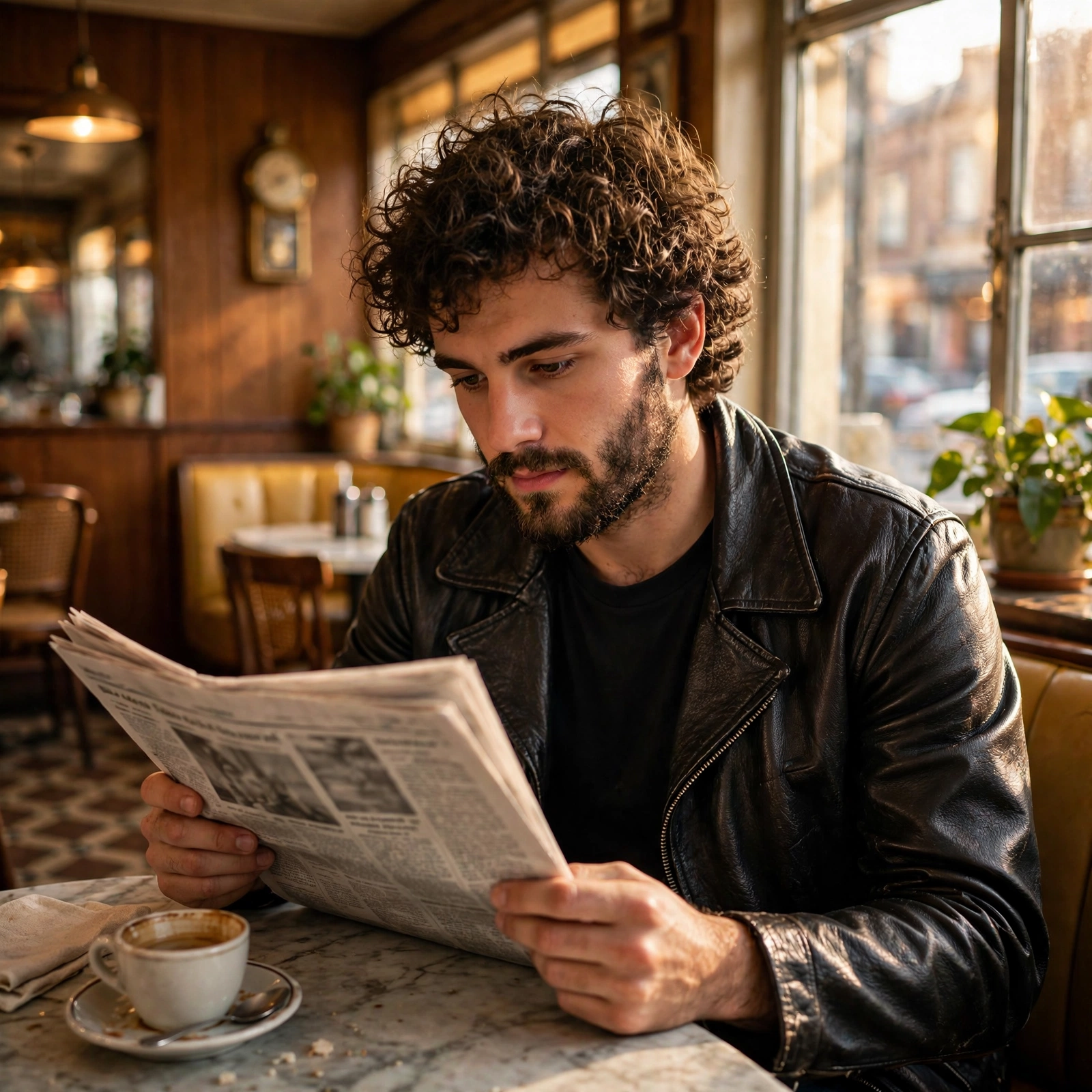
1980s Retro Video Scenes
The Prompt
Here are the brief scene-by-scene prompts for recreating the video: * Shot 1 (0:00): Medium shot, cafe interior. Young man with curly hair and beard in a leather jacket reads a newspaper at a marble table. Warm window sunlight. * Shot 2 (0:01): Close-up. The man lowers the newspaper, looking thoughtfully off-camera. Warm backlighting. * Shot 3 (0:02): Medium close-up, outdoor street. Older man with a white mustache hands a newspaper forward. Bright daylight. * Shot 4 (0:03): Low angle wide shot. Vintage black Mustang drives past historic architecture. Warm sunlight. * Shot 5 (0:04): Profile close-up. Young man in sunglasses drives a convertible. Sun flares. * Shot 6 (0:05): Wide shot, golden hour. Man leans on a black vintage car by a sea promenade, city skyline behind. * Shot 7 (0:08): Medium shot. Man leaning on the car looks directly at the camera. Warm sunset glow.
Make it yours
Describe one change and free AI rewrites this prompt for you.
Works with
CapCut, VN Video Editor, Runway, Pika, Kaiber - paste the prompt or use it as a video idea.
Tip: swap names, colors, or details to make it yours. Shorter prompts often work better - remove lines you don't need.
How to use this video prompt (step by step)
In CapCut: 1) Open CapCut and start a new project. 2) Add your clips or photos in the order the prompt describes. 3) Tap "Text" to add the captions from the prompt. 4) Go to "Effects" and pick transitions that match the mood. 5) Export in 1080p and share.
In VN Video Editor: 1) Create a new project in VN. 2) Import your media following the prompt's shot list. 3) Use the "Text" tool for titles and the "Music" tab for trending audio. 4) Apply filters lightly - don't overdo it. 5) Export and post.
In AI video tools (Runway, Pika, Kaiber): Copy the prompt above and paste it directly as your text prompt. Adjust the camera-movement words (like "slow zoom" or "pan left") to control the motion.
Related Prompts
Keep exploring
Want more in this style? Browse more Portrait prompts like this one — every prompt there is free to copy and use.
For ideas beyond this topic, see what is trending on the PromptBee homepage.