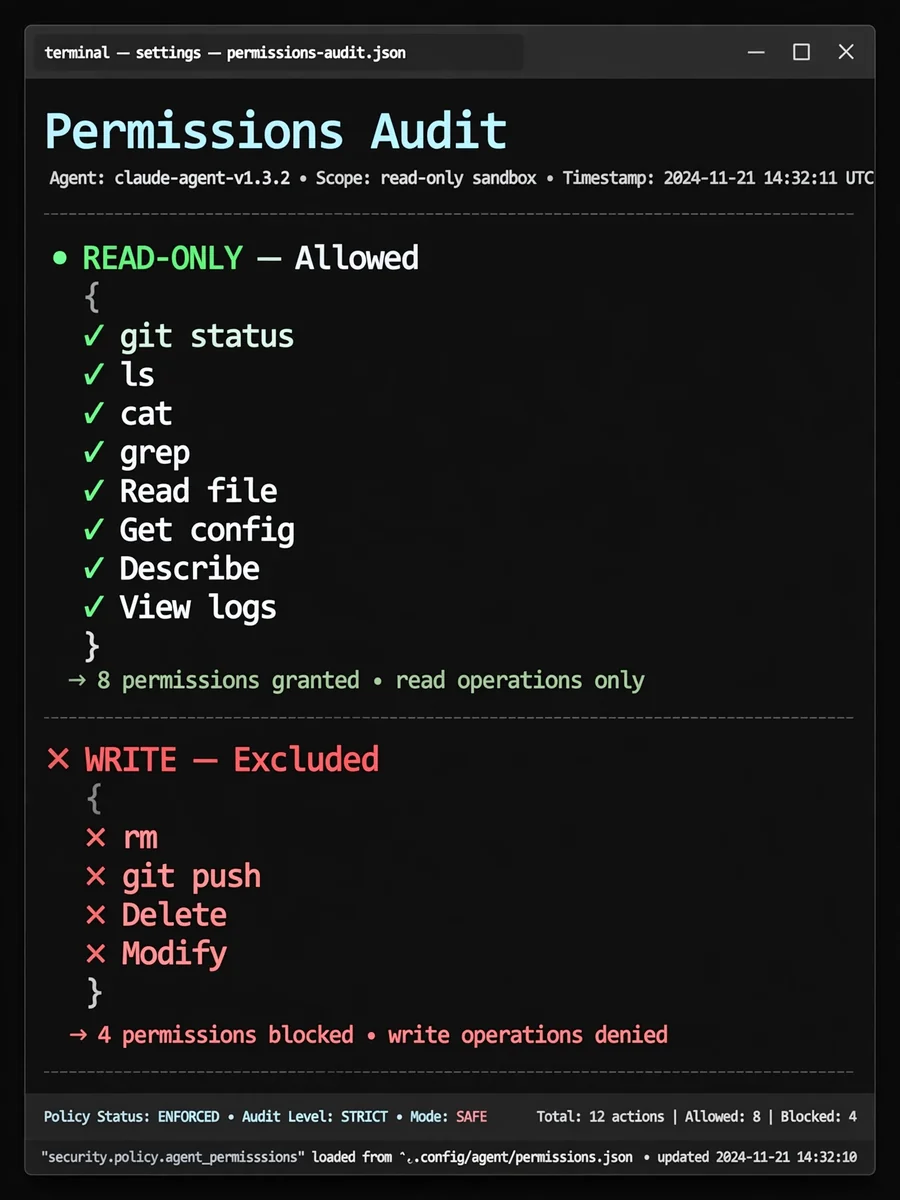
Act as an Update Agent Permissions — ChatGPT Prompt
The Prompt
# Task: Update Agent Permissions Please analyse our entire conversation and identify all specific commands used. Update permissions for both Claude Code and Gemini CLI. ## Reference Files - Claude: ~/.claude/settings.json - Gemini policy: ~/.gemini/policies/tool-permissions.toml - Gemini settings: ~/.gemini/settings.json - Gemini trusted folders: ~/.gemini/trustedFolders.json ## Instructions 1. Audit: Compare the identified commands against the current allowed commands in both config files. 2. Filter: Only include commands that provide read-only access to resources. 3. Restrict: Explicitly exclude any commands capable of modifying, deleting, or destroying data. 4. Update: Add only the missing read-only commands to both config files. 5. Constraint: Do not use wildcards. Each command must be listed individually for granular security. Show me the list of commands under two categories: Read-Only, and Write We are mostly interested in the read-only commands here that fall under the categories: Read, Get, Describe, View, or similar. Once I have approved the list, update both config files. ## Claude Format File: ~/.claude/settings.json Claude uses a JSON permissions object with allow, deny, and ask arrays. Allow format: `Bash(command subcommand:*)` Insert new commands in alphabetical order within the allow array. ## Gemini Format File: ~/.gemini/policies/tool-permissions.toml Gemini uses a TOML policy engine with rules at different priority levels. Rule types and priorities: - `decision = "deny"` at `priority = 200` for destructive operations - `decision = "ask_user"` at `priority = 150` for write operations needing confirmation - `decision = "allow"` at `priority = 100` for read-only operations For allow rules, use `commandPrefix` (provides word-boundary matching). For deny and ask rules, use `commandRegex` (catches flag variants). New read-only commands should be added to the appropriate existing `[[rule]]` block by category, or a new block if no category fits. Example allow rule: ```toml [[rule]] toolName = "run_shell_command" commandPrefix = ["command subcommand1", "command subcommand2"] decision = "allow" priority = 100 ``` ## Gemini Directories If any new directories outside the workspace were accessed, add them to: - `context.includeDirectories` in ~/.gemini/settings.json - ~/.gemini/trustedFolders.json with value `"TRUST_FOLDER"` ## Exceptions Do not suggest adding the following commands: - git branch: The -D flag will delete branches - git pull: Incase a merge is actioned - git checkout: Changing branches can interrupt work - ajira issue create: To prevent excessive creation of new issues - find: The -delete and -exec flags are destructive (use fd instead)
Make it yours
Describe one change and free AI rewrites this prompt for you.
Works with
ChatGPT, Gemini, Claude - copy and paste. For images, use it with Midjourney, DALL-E, or Gemini image mode.
Tip: swap names, colors, or details to make it yours. Shorter prompts often work better - remove lines you don't need.
Related Prompts


Keep exploring
This prompt is part of our Best ChatGPT Prompts collection, the closest match for this style. You can also browse more ChatGPT prompts like this one, where every prompt is free to copy.
For ideas beyond this topic, discover more free AI prompts on PromptBee.