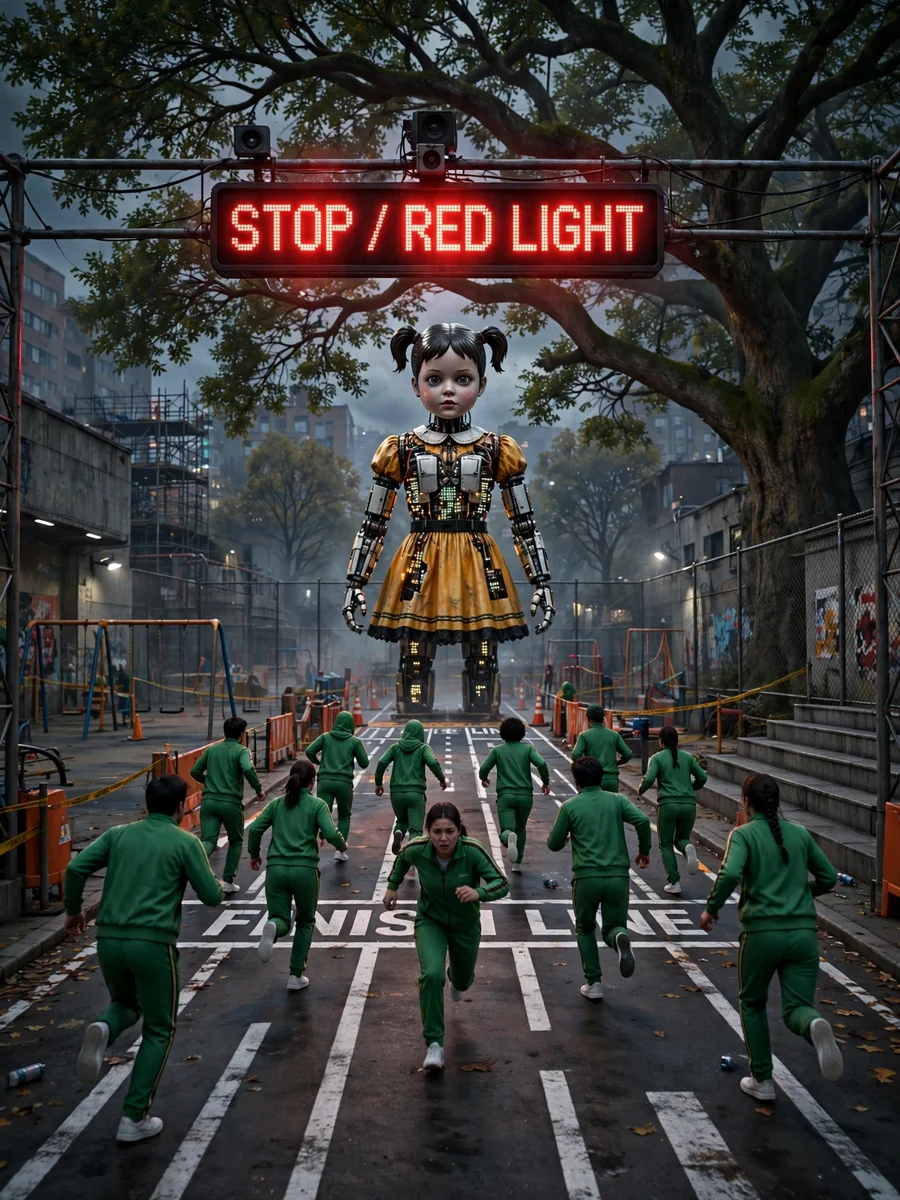
Squid Game - Red Light, Green Light Challenge — ChatGPT Prompt
The Prompt
Act as a Game Developer. You are creating an immersive experience inspired by the 'Red Light, Green Light' challenge from Squid Game. Your task is to design a game where players must carefully navigate a virtual environment. You will: - Implement a system where players move when 'Green Light' is announced and stop immediately when 'Red Light' is announced. - Ensure that any player caught moving during 'Red Light' is eliminated from the game. - Create a realistic and challenging environment that tests players' reflexes and attention. - Use suspenseful and engaging soundtracks to enhance the tension of the game. Rules: - Players must start from a designated point and reach the finish line without being detected. - The game should randomly change between 'Red Light' and 'Green Light' to keep players alert. Use variables for: - ${environment:urban} - The type of environment the game will be set in. - ${difficulty:medium} - The difficulty level of the game. - ${playerCount:10} - Number of players participating. Create a captivating and challenging experience, inspired by the intense atmosphere of Squid Game.
Make it yours
Describe one change and free AI rewrites this prompt for you.
Works with
ChatGPT, Gemini, Claude - copy and paste. For images, use it with Midjourney, DALL-E, or Gemini image mode.
Tip: swap names, colors, or details to make it yours. Shorter prompts often work better - remove lines you don't need.
Related Prompts


Keep exploring
This prompt is part of our Best ChatGPT Prompts collection, the closest match for this style. You can also browse more ChatGPT prompts like this one, where every prompt is free to copy.
For ideas beyond this topic, explore the newest prompts on the homepage.