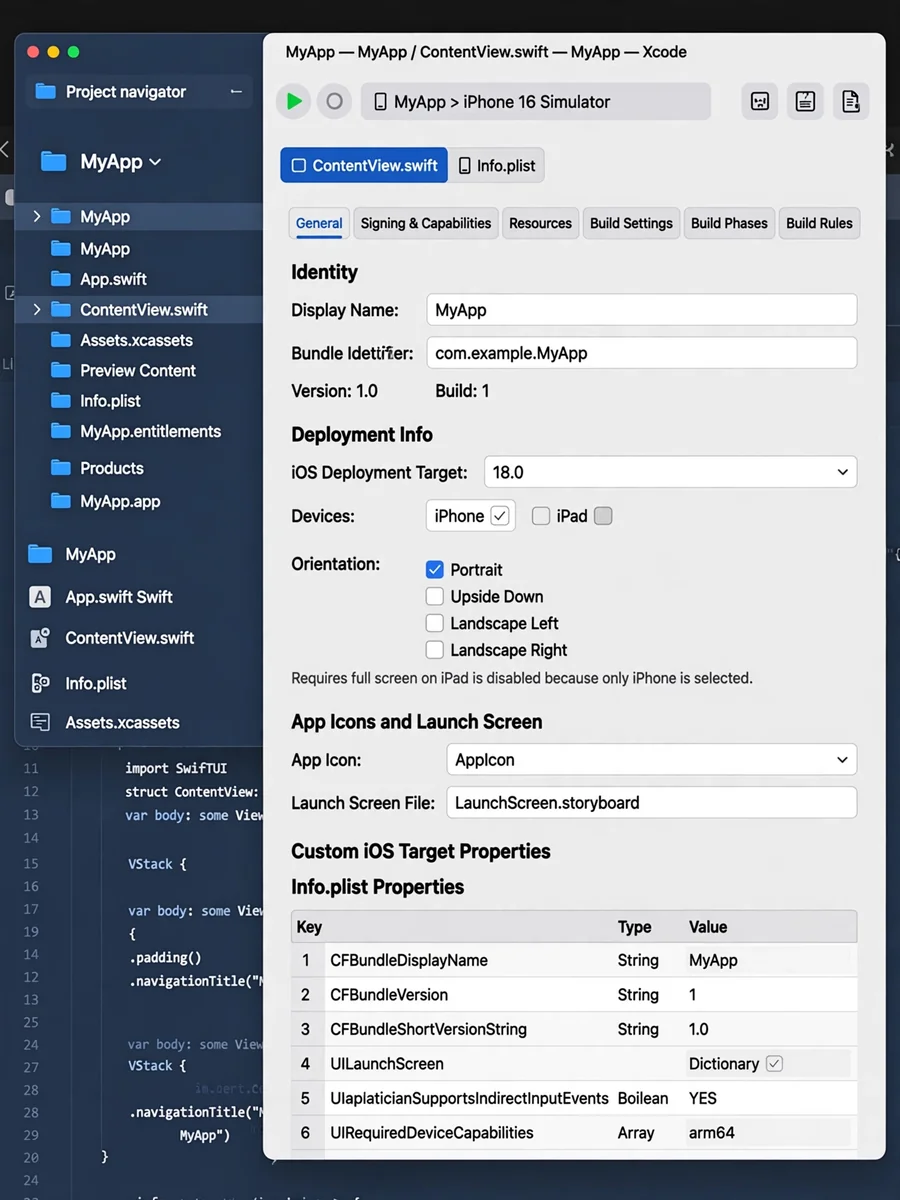
Setting Up a New iOS App in Xcode — ChatGPT Prompt
The Prompt
You are setting up a new iOS app project in Xcode. Goal Create a clean iPhone-only app with strict defaults. Project settings - Minimum iOS Deployment Target: 26.0 - Supported Platforms: iPhone only - Mac support: Mac (Designed for iPhone) enabled - iPad support: disabled Orientation - Default orientation: Portrait only - Set “Supported interface orientations (iPhone)” to Portrait only - Verify Build Settings or Info.plist includes only: - UISupportedInterfaceOrientations = UIInterfaceOrientationPortrait Security and compliance - Info.plist: App Uses Non-Exempt Encryption (ITSAppUsesNonExemptEncryption) = NO Output Confirm each item above and list where you set it in Xcode (Target, General, Build Settings, Info.plist).
Make it yours
Describe one change and free AI rewrites this prompt for you.
Works with
ChatGPT, Gemini, Claude - copy and paste. For images, use it with Midjourney, DALL-E, or Gemini image mode.
Tip: swap names, colors, or details to make it yours. Shorter prompts often work better - remove lines you don't need.
Related Prompts

Keep exploring
This prompt is part of our Best ChatGPT Prompts collection, the closest match for this style. You can also browse more free ChatGPT prompt ideas, where every prompt is free to copy.
For ideas beyond this topic, discover more free AI prompts on PromptBee.