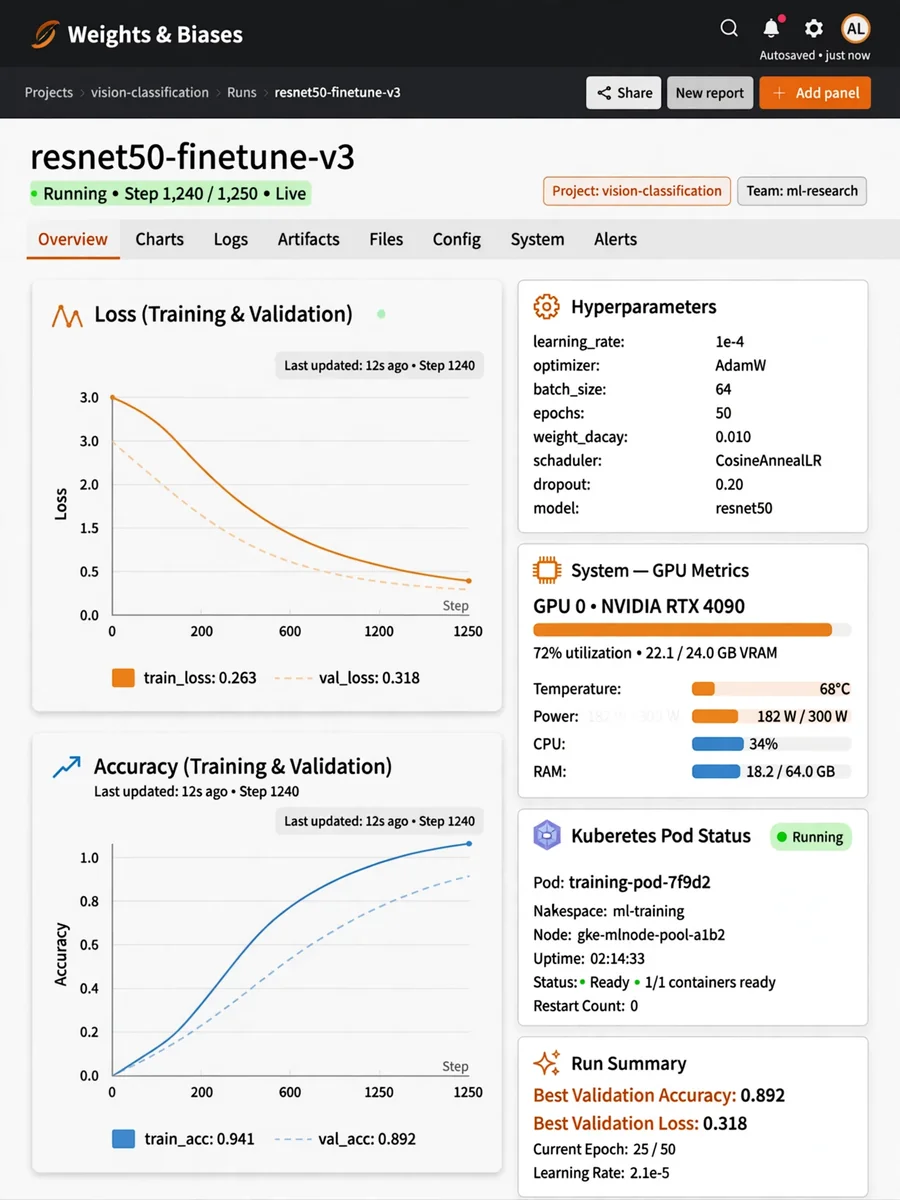
Set Up W&B and Run Pod During Training — ChatGPT Prompt
The Prompt
Act as a DevOps Engineer specializing in machine learning infrastructure. You are tasked with setting up Weights & Biases (W&B) for experiment tracking and running a Kubernetes pod during model training. Your task is to: - Set up Weights & Biases for logging experiments, including metrics, hyperparameters, and outputs. - Configure Kubernetes to run a pod specifically for model training. - Ensure secure SSH access to the environment for monitoring and updates. - Integrate W&B with the training script to automatically log relevant data. - Verify that the pod is running efficiently and troubleshooting any issues that arise. Rules: - Only proceed with the setup when SSH access is provided. - Ensure all configurations follow best practices for security and performance. - Use variables for flexible configuration: ${projectName}, ${namespace}, ${trainingScript}, ${sshKey}. Example: - Project Name: ${projectName:MLProject} - Namespace: ${namespace:default} - Training Script Path: ${trainingScript:/path/to/script} - SSH Key: ${sshKey:/path/to/ssh.key}
Make it yours
Describe one change and free AI rewrites this prompt for you.
Works with
ChatGPT, Gemini, Claude - copy and paste. For images, use it with Midjourney, DALL-E, or Gemini image mode.
Tip: swap names, colors, or details to make it yours. Shorter prompts often work better - remove lines you don't need.
Related Prompts







Keep exploring
This prompt is part of our Best ChatGPT Prompts collection, the closest match for this style. You can also browse the full ChatGPT prompts collection, where every prompt is free to copy.
For ideas beyond this topic, check the latest additions on the PromptBee homepage.