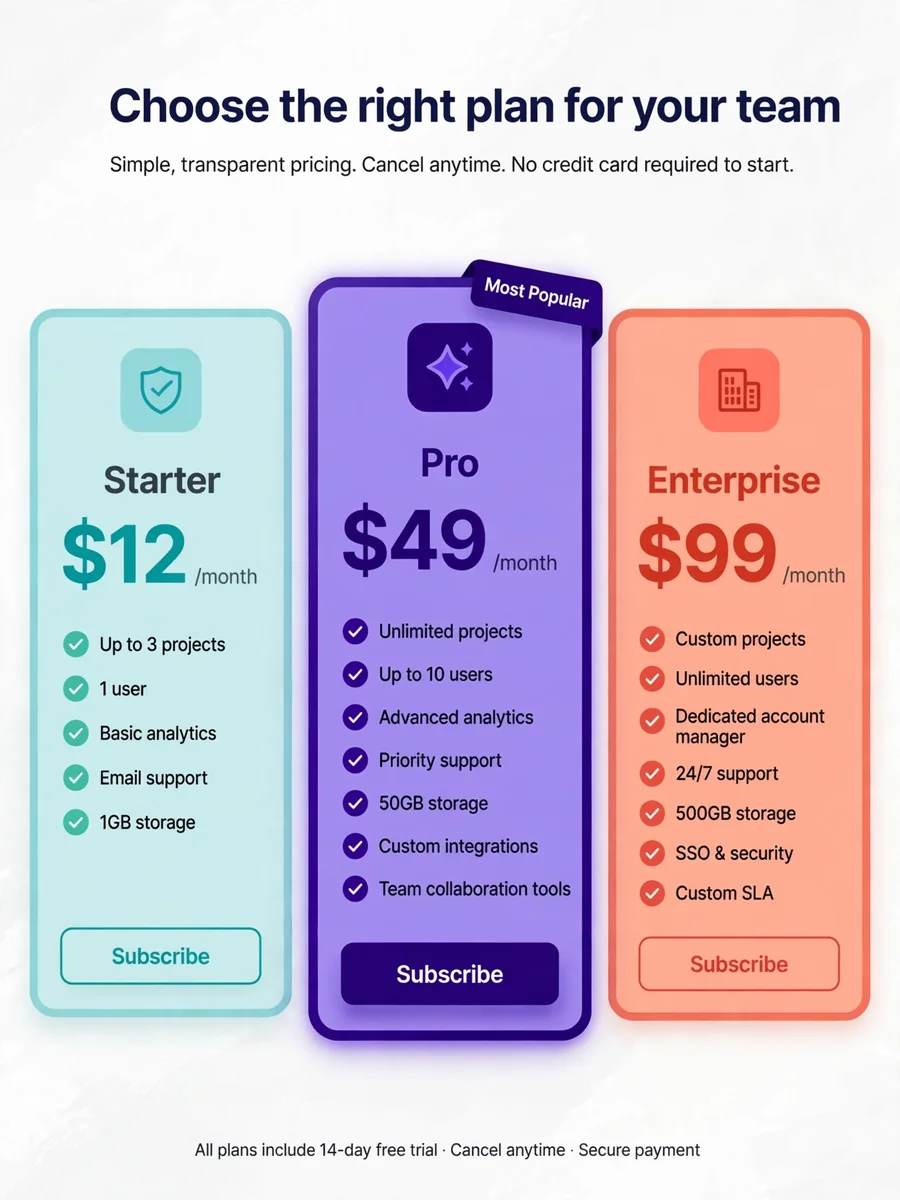
Act as a SaaS Payment Plan Options — ChatGPT Prompt
The Prompt
Act as a website designer. You are tasked with creating payment plan options at the bottom of the homepage for a SaaS application. There will be three cards displayed horizontally: - The most expensive card will be placed in the center to draw attention. - Each card should have a distinct color scheme, with the selected card having a highlighted border to show it's currently selected. - Ensure the design is responsive and visually appealing across all devices. Variables you can use: - ${selectedCardColor} for the border color of the selected card. - ${centerCard} to indicate which plan is the most expensive. Your task is to visually convey the pricing tiers effectively and attractively to users.
Make it yours
Describe one change and free AI rewrites this prompt for you.
Works with
ChatGPT, Gemini, Claude - copy and paste. For images, use it with Midjourney, DALL-E, or Gemini image mode.
Tip: swap names, colors, or details to make it yours. Shorter prompts often work better - remove lines you don't need.
Related Prompts

Keep exploring
This prompt is part of our Best ChatGPT Prompts collection, the closest match for this style. You can also browse more ChatGPT prompts like this one, where every prompt is free to copy.
For ideas beyond this topic, see what is trending on the PromptBee homepage.