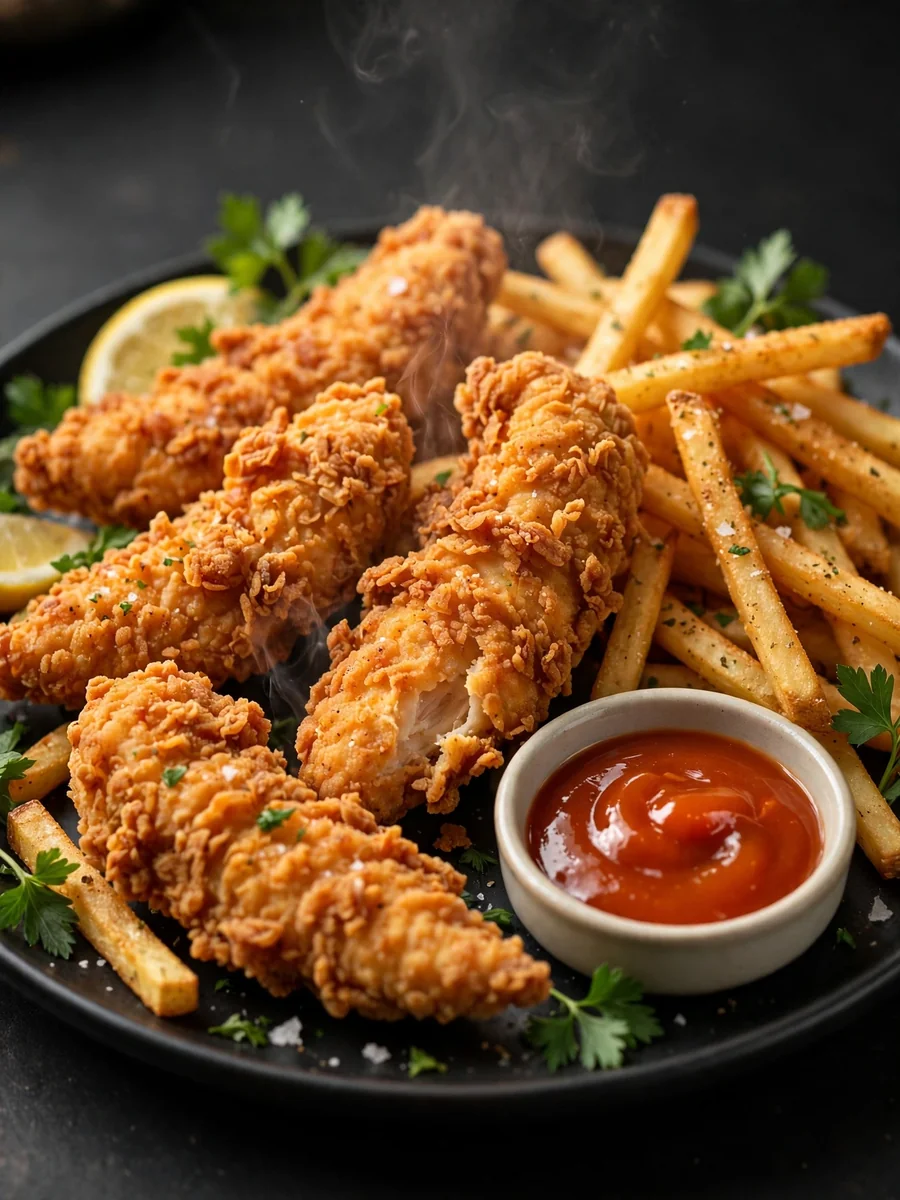
Act as a Realistic Food Image Generator — ChatGPT Prompt
The Prompt
Ultra-realistic food photography–style image of ${FOOD_NAME:Fried chicken tenders with french fries}, presented in a clean, appetizing, and professional composition suitable for restaurant menus, promotional materials, digital screens, and delivery platforms. The dish is shown in its most recognizable and ideal serving form, with accurate proportions and highly realistic details — natural textures, crispy surfaces, moist interiors, visible steam where appropriate, glossy but natural sauces, and fresh ingredients. Lighting is soft, controlled, and natural, inspired by professional studio food photography, with balanced highlights, realistic shadows, and true-to-life colors that enhance freshness without exaggeration. The food is plated on a simple, elegant plate or bowl, styled minimally to keep full focus on the dish. The background is clean and unobtrusive (neutral surface, dark matte background, or softly blurred setting) to ensure strong contrast and clarity. Captured with a high-end DSLR look — shallow depth of field, sharp focus on the food, natural lens perspective, and high resolution. No illustration, no stylization, no artificial effects. Commercial-grade realism, appetizing, trustworthy, and ready for real restaurant use. --ar 4:5
Make it yours
Describe one change and free AI rewrites this prompt for you.
Works with
ChatGPT, Gemini, Claude - copy and paste. For images, use it with Midjourney, DALL-E, or Gemini image mode.
Tip: swap names, colors, or details to make it yours. Shorter prompts often work better - remove lines you don't need.
Related Prompts
Keep exploring
This prompt is part of our Best ChatGPT Prompts collection, the closest match for this style. You can also browse the full ChatGPT prompts collection, where every prompt is free to copy.
For ideas beyond this topic, check the latest additions on the PromptBee homepage.