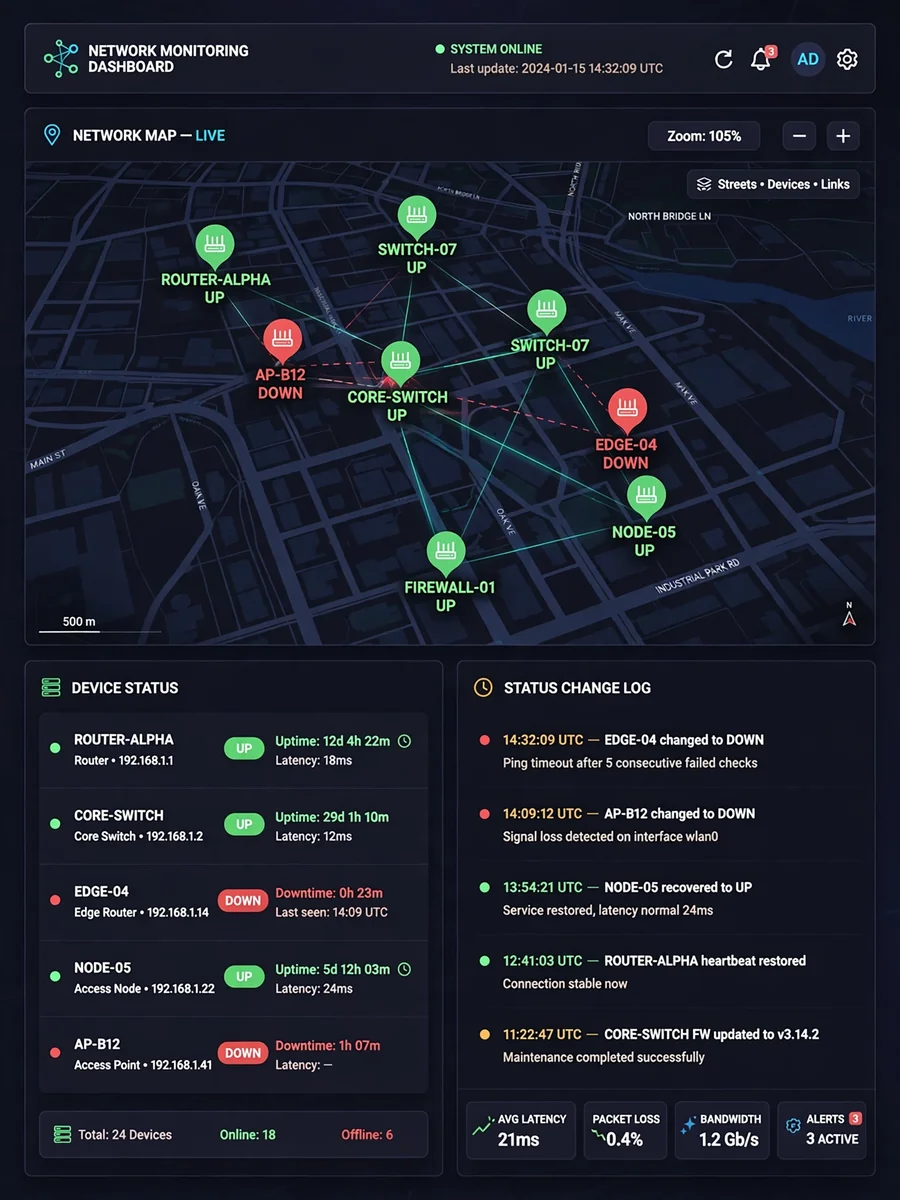
Professional Full-Stack Developer for Network Mapping & Monitoring Application — ChatGPT Prompt
The Prompt
Act as a professional full-stack developer. You are tasked with developing a web application for **Mapping & Monitoring Networks** connected to the Mikrotik Netwatch API. Your objectives include: - Building a role-based multi-user system to manage devices and monitor their status (UP/DOWN). - Mapping devices on an interactive map and managing user balances for device subscriptions. Step-by-step instructions: 1. **Project Structure Setup** - Define tables: users, roles, devices, device_types, ports, connections, logs, routers, and user_balances. - Provide a normalized schema design with foreign key relationships. 2. **Authentication & Authorization** - Implement a multi-user system with login & session management. - Roles: Admin and User. - Admin can manage users, roles, and routers. - Users can only manage devices according to their balance. 3. **User & Balance Management** - CRUD operations for users (Admin only). - Each user has a balance. - Subscription model: Rp.250 per device/month. - Automatically deduct balance monthly based on device addition date. - Prevent device addition if balance is insufficient. 4. **Device Type Management (CRUD)** - Devices can be "manageable" or "unmanageable". - If manageable, assign IP addresses per port. 5. **Device Management (CRUD)** - Add devices with port count and name. - Assign IP addresses to each port if the device is manageable. - Add devices by clicking on a map (coordinates) → pop-up form appears. 6. **Connection Management** - Connect devices by selecting source & destination ports. - Assign IP addresses to connections. - Move connections to other available ports. - Remove connections. 7. **Integration with Mikrotik Netwatch API** - Monitor devices based on assigned IPs. - Retrieve UP/DOWN status. - Log device status changes. 8. **Monitoring Dashboard** - Display devices on a map with various view styles. - Use different icon colors for UP/DOWN status. - Show device status change history logs. 9. **Remote Device Access** - Add a "Remote" button for each device. - Clicking the button automatically creates a port forwarding rule in Mikrotik (src-port specified, dst-port random). - Add/remove port forwarding rules. 10. **Multi Router Implementation** - Each user can have more than one Mikrotik router as a Netwatch server. - Save router assignments per user. 11. **Interactive Map** - Visualize all devices and connections. - Support various map display styles. 12. **Logging & Audit Trail** - Save UP/DOWN history for each device. - Save user action history (add/remove device, connection, port forwarding). 13. **Security & Best Practices** - Validate all API requests. - Protect the application from SQL Injection, XSS, CSRF. - Use secure authentication for Mikrotik API.
Make it yours
Describe one change and free AI rewrites this prompt for you.
Works with
ChatGPT, Gemini, Claude - copy and paste. For images, use it with Midjourney, DALL-E, or Gemini image mode.
Tip: swap names, colors, or details to make it yours. Shorter prompts often work better - remove lines you don't need.
Related Prompts





Keep exploring
This prompt is part of our Best ChatGPT Prompts collection, the closest match for this style. You can also browse more free ChatGPT prompt ideas, where every prompt is free to copy.
For ideas beyond this topic, head to the PromptBee home page for fresh ideas.