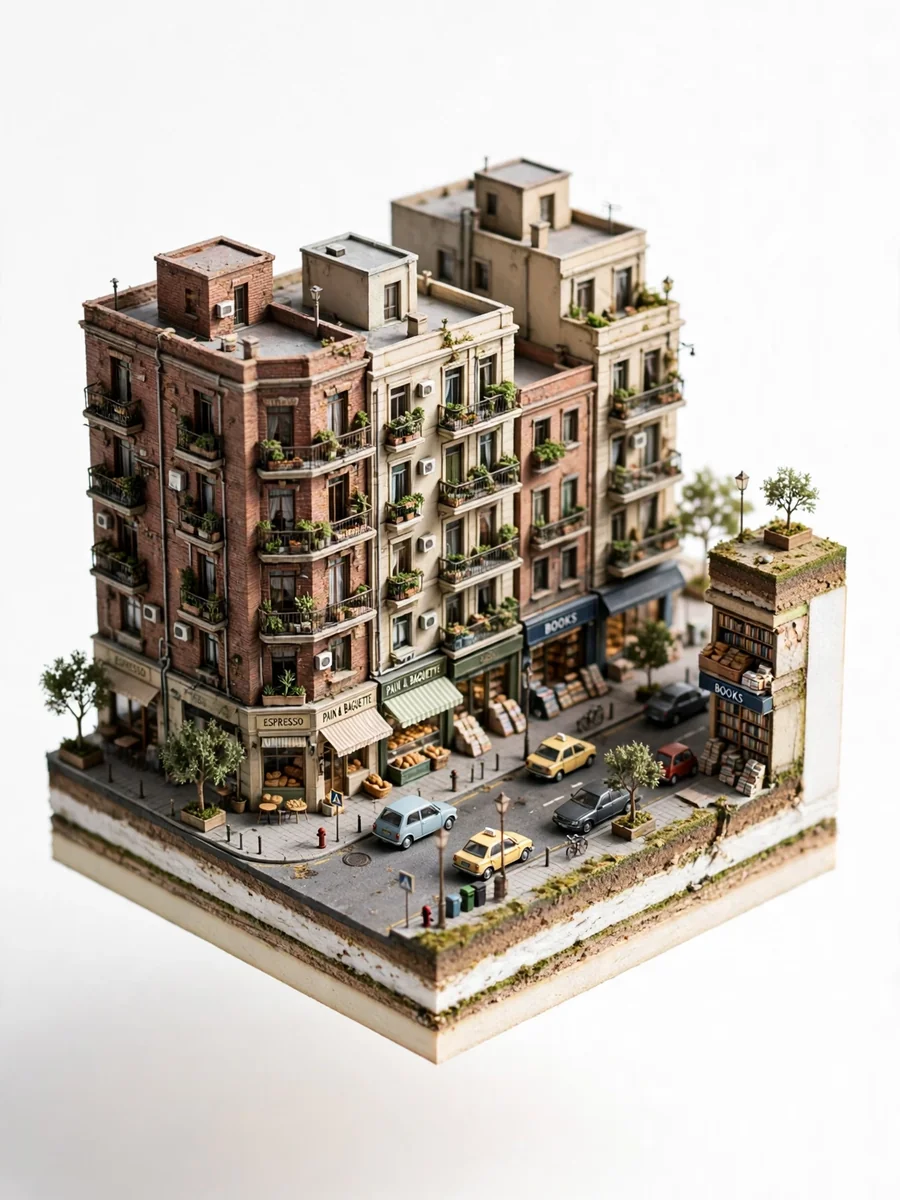
Photo-to-Isometric: Reality Slice Generator — ChatGPT Prompt
The Prompt
{ "prompt": "Create an ultra realistic isometric diorama based strictly on the uploaded image. Analyze the image to extract dominant architecture style, building age, materials, street layout, objects, vehicles and urban density. Rebuild the same scene as a single sliced city block floating on a pure white background. Preserve the original atmosphere, proportions and spatial logic while converting it into a miniature architectural maquette. Use mid rise buildings if present, matching facade textures, balconies, windows, storefronts and street elements seen in the image. Keep only elements visible in the source image. Remove anything not present. Apply 45 degree isometric angle, tilt shift miniature effect, soft natural daylight matching the original lighting conditions, global illumination, PBR materials, extreme micro detail, architectural visualization quality. Clean studio lighting. No sky, no horizon.", "negative_prompt": "invented objects, extra buildings, fantasy elements, cartoon, anime, illustration, low poly, flat shading, fisheye, distortion, surreal details, inconsistent scale, random props", "aspect_ratio": "1:1", "style": "photorealistic", "quality": "high" }
Make it yours
Describe one change and free AI rewrites this prompt for you.
Works with
ChatGPT, Gemini, Claude - copy and paste. For images, use it with Midjourney, DALL-E, or Gemini image mode.
Tip: swap names, colors, or details to make it yours. Shorter prompts often work better - remove lines you don't need.
Related Prompts

Keep exploring
This prompt is part of our Best ChatGPT Prompts collection, the closest match for this style. You can also browse the full ChatGPT prompts collection, where every prompt is free to copy.
For ideas beyond this topic, check the latest additions on the PromptBee homepage.