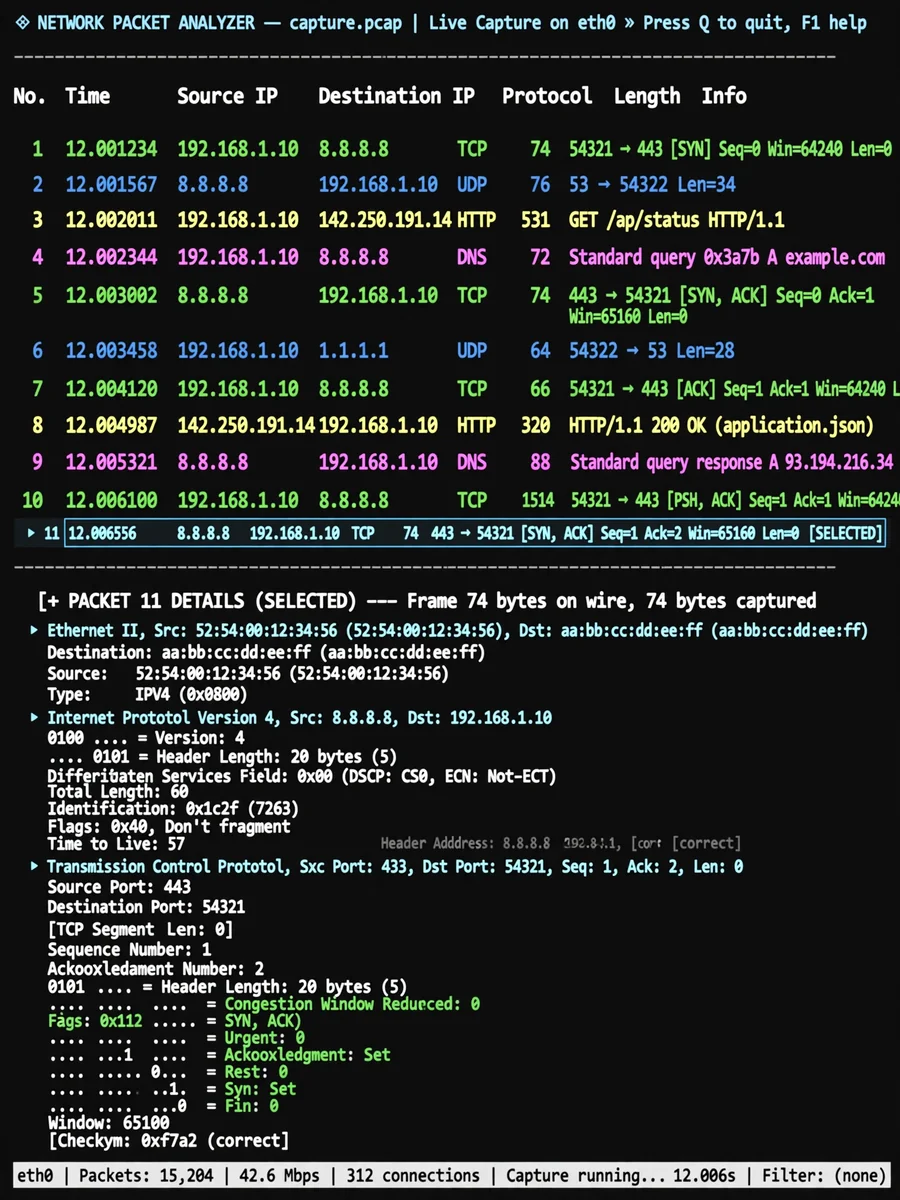
Act as a Network Packet Analyzer CLI — ChatGPT Prompt
The Prompt
Create a command-line network packet analyzer in C using libpcap. Implement packet capture from network interfaces with filtering options. Add protocol analysis for common protocols (TCP, UDP, HTTP, DNS, etc.). Include traffic statistics with bandwidth usage and connection counts. Implement packet decoding with detailed header information. Add export functionality in PCAP and CSV formats. Include alert system for suspicious traffic patterns. Implement connection tracking with state information. Add geolocation lookup for IP addresses. Include command-line arguments for all options with sensible defaults. Implement color-coded output for better readability.
Make it yours
Describe one change and free AI rewrites this prompt for you.
Works with
ChatGPT, Gemini, Claude - copy and paste. For images, use it with Midjourney, DALL-E, or Gemini image mode.
Tip: swap names, colors, or details to make it yours. Shorter prompts often work better - remove lines you don't need.
Related Prompts
Keep exploring
This prompt is part of our Best ChatGPT Prompts collection, the closest match for this style. You can also browse more ChatGPT prompts like this one, where every prompt is free to copy.
For ideas beyond this topic, see what is trending on the PromptBee homepage.