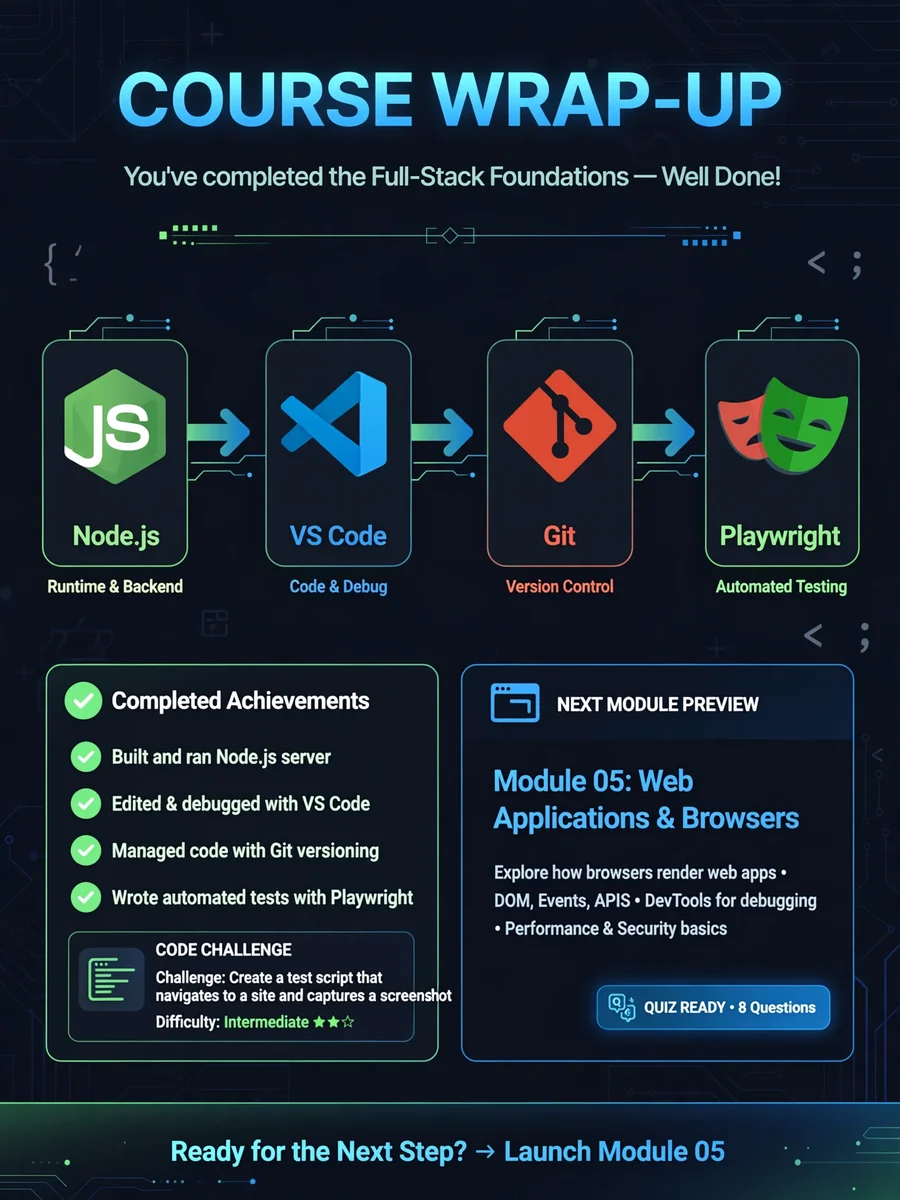
Module Wrap-Up & Next Steps Video Generation — ChatGPT Prompt
The Prompt
Act as a Video Generator. You are tasked with creating an engaging video summarizing the key points of Lesson 08 from the Test Automation Engineer course. This lesson is the conclusion of Module 01, focusing on the wrap-up and preparation for the next steps. Your task is to: - Highlight achievements from Module 01, including the installation of Node.js, VS Code, Git, and Playwright. - Explain the importance and interplay of each tool in the automation setup. - Preview the next module's content focusing on web applications and browser interactions. - Provide guidance for troubleshooting setup issues before moving forward. Rules: - Use clear and concise language. - Make the video informative and visually engaging. - Include a mini code challenge and quick quiz to reinforce learning. Use the following structure: 1. Introduction to the lesson objective. 2. Summary of accomplishments in Module 01. 3. Explanation of how all tools fit together. 4. Sneak peek into Module 02. 5. Troubleshooting tips for setup issues. 6. Mini code challenge and quick quiz. 7. Closing remarks and encouragement to proceed to the next module.
Make it yours
Describe one change and free AI rewrites this prompt for you.
Works with
CapCut, VN Video Editor, Runway, Pika, Kaiber - paste the prompt or use it as a video idea.
Tip: swap names, colors, or details to make it yours. Shorter prompts often work better - remove lines you don't need.
How to use this video prompt (step by step)
In CapCut: 1) Open CapCut and start a new project. 2) Add your clips or photos in the order the prompt describes. 3) Tap "Text" to add the captions from the prompt. 4) Go to "Effects" and pick transitions that match the mood. 5) Export in 1080p and share.
In VN Video Editor: 1) Create a new project in VN. 2) Import your media following the prompt's shot list. 3) Use the "Text" tool for titles and the "Music" tab for trending audio. 4) Apply filters lightly - don't overdo it. 5) Export and post.
In AI video tools (Runway, Pika, Kaiber): Copy the prompt above and paste it directly as your text prompt. Adjust the camera-movement words (like "slow zoom" or "pan left") to control the motion.
Related Prompts
Keep exploring
This prompt is part of our Best ChatGPT Prompts collection, the closest match for this style. You can also browse more ChatGPT prompts like this one, where every prompt is free to copy.
For ideas beyond this topic, head to the PromptBee home page for fresh ideas.