Act as a Mine — ChatGPT Prompt
The Prompt
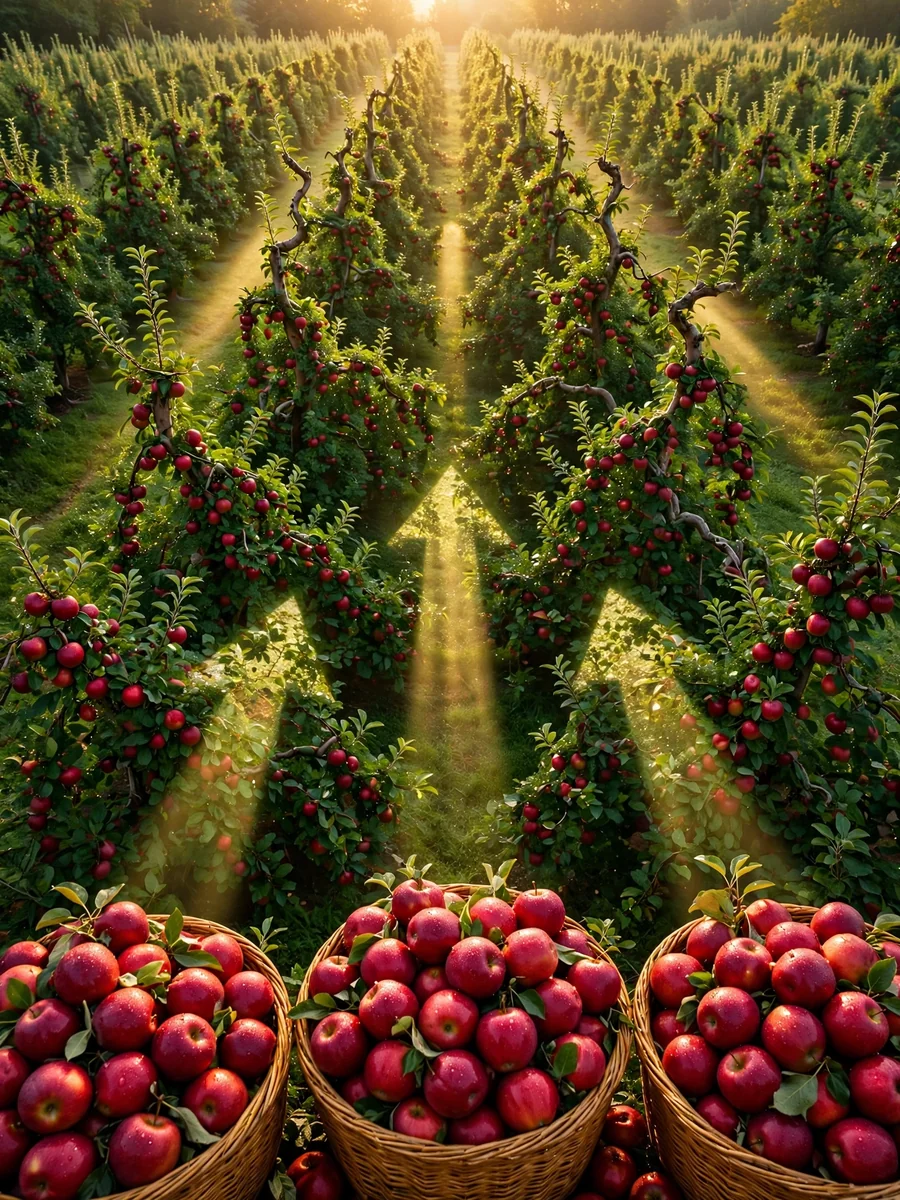
Create a highly detailed video prompt for an AI video generator like Sora or RunwayML, emphasizing photorealistic stock trading visuals without any human figures, text overlays, or AI-generated artifacts. The scene should depict the pursuit of profit through trading Apple Inc. (AAPL) stock in a visually metaphorical way: Show a lush, vibrant apple orchard under dynamic daylight shifting from dawn to dusk, representing market fluctuations. Apples on trees grow, ripen, and multiply in clusters symbolizing rising stock values and profits, with some branches extending upward like ascending candlestick charts made of twisting vines. Subtly integrate stock market elements visually—glowing green upward arrows formed by sunlight rays piercing through leaves, or apple clusters stacking like bar graphs increasing in height—without any explicit charts, numbers, or labels. Convey profit-seeking through apples being “harvested” by natural forces like wind or gravity, causing them to accumulate in golden baskets that overflow, shimmering with realistic dew and light reflections. Ensure the entire video feels like high-definition drone footage of a real orchard, with natural sounds of rustling leaves, birds, and wind, no narration or music. Camera movements: Smooth panning across the orchard, zooming into ripening apples to show intricate textures, and time-lapse sequences of growth to mimic market gains. Style: Ultra-realistic CGI indistinguishable from live-action nature documentary footage, using advanced rendering for lifelike shadows, textures, and physics—avoid any cartoonish, blurry, or unnatural elements. Video length: 30 seconds, resolution: 4K, aspect ratio: 16:9.
Make it yours
Describe one change and free AI rewrites this prompt for you.
Works with
CapCut, VN Video Editor, Runway, Pika, Kaiber - paste the prompt or use it as a video idea.
Tip: swap names, colors, or details to make it yours. Shorter prompts often work better - remove lines you don't need.
How to use this video prompt (step by step)
In CapCut: 1) Open CapCut and start a new project. 2) Add your clips or photos in the order the prompt describes. 3) Tap "Text" to add the captions from the prompt. 4) Go to "Effects" and pick transitions that match the mood. 5) Export in 1080p and share.
In VN Video Editor: 1) Create a new project in VN. 2) Import your media following the prompt's shot list. 3) Use the "Text" tool for titles and the "Music" tab for trending audio. 4) Apply filters lightly - don't overdo it. 5) Export and post.
In AI video tools (Runway, Pika, Kaiber): Copy the prompt above and paste it directly as your text prompt. Adjust the camera-movement words (like "slow zoom" or "pan left") to control the motion.
Related Prompts


Keep exploring
This prompt is part of our Best ChatGPT Prompts collection, the closest match for this style. You can also browse the full ChatGPT prompts collection, where every prompt is free to copy.
For ideas beyond this topic, explore the newest prompts on the homepage.