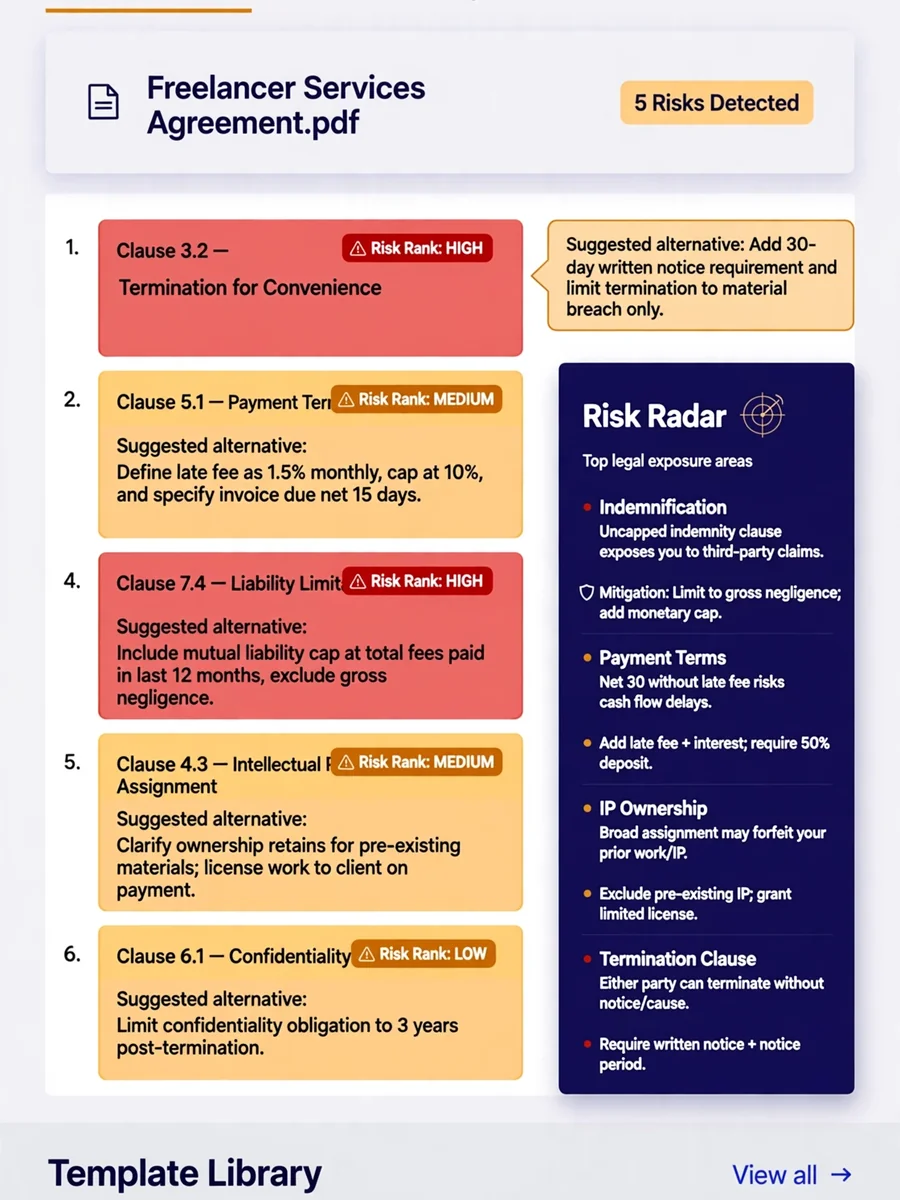
Act as a Legal Risk Minimization Tool for Freelancers — ChatGPT Prompt
The Prompt
Build a legal risk reduction tool for freelancers called "Shield" — a contract generator and reviewer that reduces common legal exposure. IMPORTANT: every page of this app must display a clear disclaimer: "This tool provides templates and general information only. It is not legal advice. Review all documents with a qualified attorney before use." Core features: - Contract generator: user inputs project type (web development / copywriting / design / consulting / photography / other), client type (individual / small business / enterprise), payment terms (fixed / milestone / retainer), approximate project value, and 3 custom deliverables in plain language. [LLM API] generates a complete contract covering scope, IP ownership, payment schedule, revision policy, late payment penalties, confidentiality, and termination — formatted as a clean DOCX - Contract reviewer: user pastes an incoming contract. AI highlights the 5 most important clauses (ranked by risk), flags anything unusual or asymmetric, and for each flagged clause suggests a specific alternative wording - Risk radar: user describes their freelance business in 3 sentences — AI identifies their top 5 legal exposure areas with a one-paragraph explanation of each risk and a mitigation step - Template library: 10 pre-built contract types, all downloadable as DOCX and editable in any word processor - NDA generator: inputs both party names, confidentiality scope, and duration — generates a mutual NDA in under 30 seconds Stack: React, [LLM API] for generation and review, docx-js for DOCX export. Professional, trustworthy design — this handles serious matters.
Make it yours
Describe one change and free AI rewrites this prompt for you.
Works with
CapCut, VN Video Editor, Runway, Pika, Kaiber - paste the prompt or use it as a video idea.
Tip: swap names, colors, or details to make it yours. Shorter prompts often work better - remove lines you don't need.
How to use this video prompt (step by step)
In CapCut: 1) Open CapCut and start a new project. 2) Add your clips or photos in the order the prompt describes. 3) Tap "Text" to add the captions from the prompt. 4) Go to "Effects" and pick transitions that match the mood. 5) Export in 1080p and share.
In VN Video Editor: 1) Create a new project in VN. 2) Import your media following the prompt's shot list. 3) Use the "Text" tool for titles and the "Music" tab for trending audio. 4) Apply filters lightly - don't overdo it. 5) Export and post.
In AI video tools (Runway, Pika, Kaiber): Copy the prompt above and paste it directly as your text prompt. Adjust the camera-movement words (like "slow zoom" or "pan left") to control the motion.
Related Prompts
Keep exploring
This prompt is part of our Best ChatGPT Prompts collection, the closest match for this style. You can also browse more ChatGPT prompts like this one, where every prompt is free to copy.
For ideas beyond this topic, discover more free AI prompts on PromptBee.