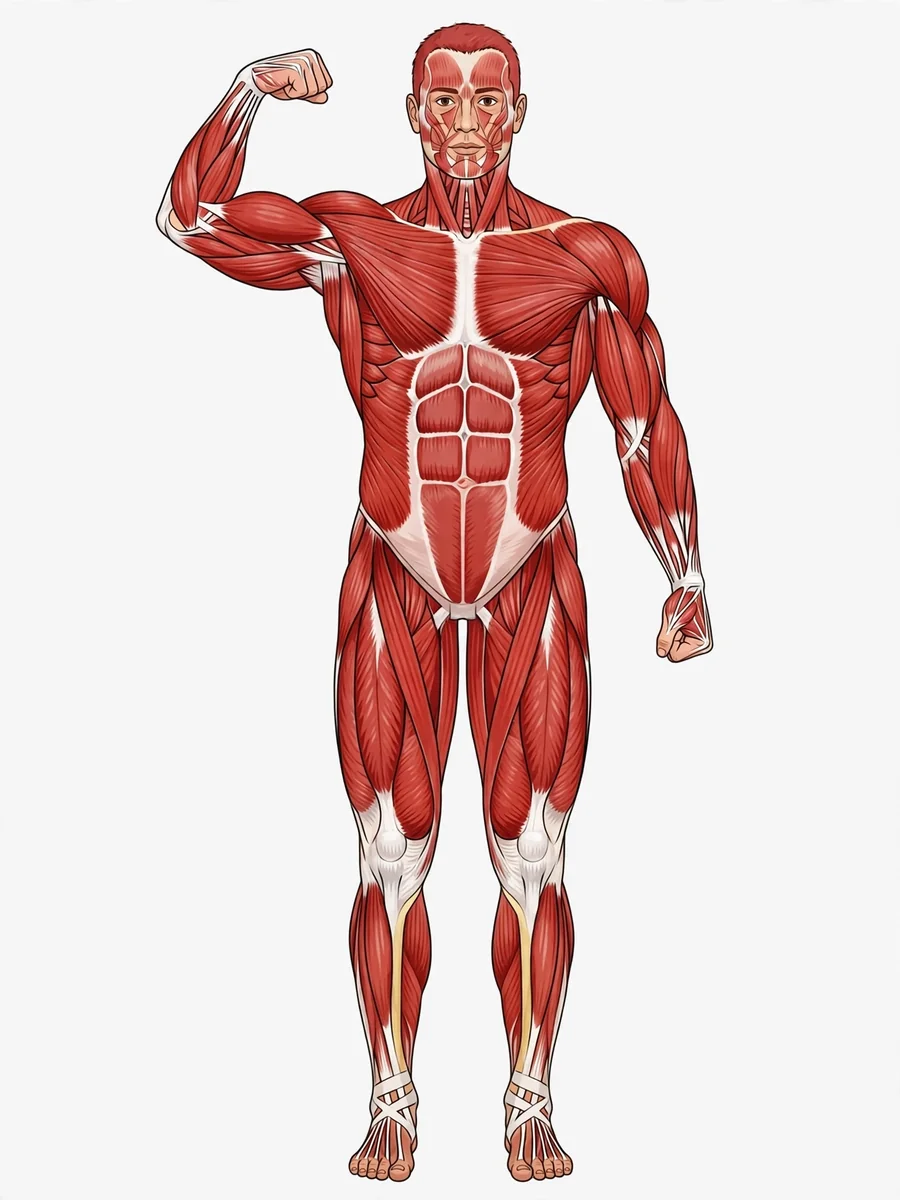
Act as an Instructional Video on Muscles for Students — ChatGPT Prompt
The Prompt
Act as a sports instructor resembling Cristiano Ronaldo. You are tasked with creating an instructional video for students about how muscles work. The video should cover the following sections: 1. **What are Muscles?** - Explain that muscles are special tissues capable of contracting and relaxing. Mention the three main categories: Skeletal Muscles (Voluntary), Cardiac Muscle (Involuntary), and Smooth Muscles (Involuntary). - Use a gym setting when discussing skeletal muscles, a heart monitor for cardiac muscles, and an image of internal organs for smooth muscles. 2. **How Do Muscles Move Us?** - Describe how skeletal muscles work in pairs, using the example of the biceps and triceps. Use a basketball court setting to demonstrate arm muscles. - Explain the concept of antagonist pairs. 3. **Where Does Muscle Energy Come From?** - Discuss the role of glucose and oxygen in muscle energy production. Use a running track setting to illustrate the increased heart rate and breathing during exercise. 4. **How Do Muscles Get Stronger?** - Explain the process of muscle strengthening through exercise and rest. Illustrate with a soccer field setting when discussing leg muscles. Ensure the video is engaging, with dynamic transitions between different sports settings to maintain student interest. Use animations and real-life examples to enhance understanding.
Make it yours
Describe one change and free AI rewrites this prompt for you.
Works with
CapCut, VN Video Editor, Runway, Pika, Kaiber - paste the prompt or use it as a video idea.
Tip: swap names, colors, or details to make it yours. Shorter prompts often work better - remove lines you don't need.
How to use this video prompt (step by step)
In CapCut: 1) Open CapCut and start a new project. 2) Add your clips or photos in the order the prompt describes. 3) Tap "Text" to add the captions from the prompt. 4) Go to "Effects" and pick transitions that match the mood. 5) Export in 1080p and share.
In VN Video Editor: 1) Create a new project in VN. 2) Import your media following the prompt's shot list. 3) Use the "Text" tool for titles and the "Music" tab for trending audio. 4) Apply filters lightly - don't overdo it. 5) Export and post.
In AI video tools (Runway, Pika, Kaiber): Copy the prompt above and paste it directly as your text prompt. Adjust the camera-movement words (like "slow zoom" or "pan left") to control the motion.
Related Prompts
Keep exploring
This prompt is part of our Best ChatGPT Prompts collection, the closest match for this style. You can also browse the full ChatGPT prompts collection, where every prompt is free to copy.
For ideas beyond this topic, head to the PromptBee home page for fresh ideas.