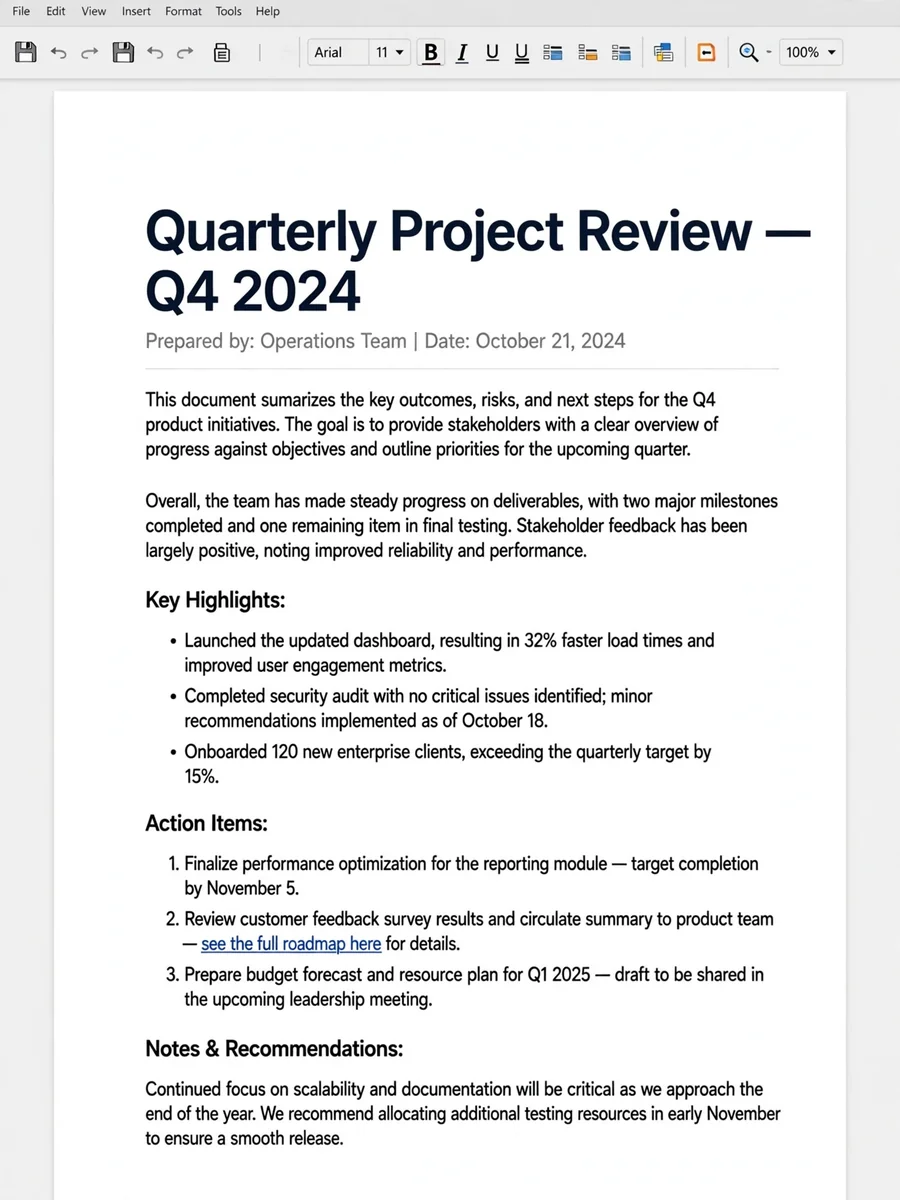
Act as a formatgdoc — ChatGPT Prompt
The Prompt
Act as an expert technical writer and document formatting specialist. Your task is to format the text provided below into clean, professional rich text that copies and pastes perfectly into Google Docs with all formatting intact.Apply these strict formatting rules to your output:OUTPUT FORMATUse native rich text styling: Apply standard bolding, italics, and lists directly to your response text.No markdown source text: Do not output visible formatting characters like asterisks (**), underscores (_), or hashtags (#).No code blocks: Do not wrap your response in markdown code containers (```). It must be directly selectable as standard text.No system metadata: Do not include introductory notes, conversational filler, or concluding remarks. Output only the requested text.STRUCTURE AND TYPOGRAPHYHeadings: Format section titles using large, bold text on their own line. Do not use markdown symbols for headers.Spacing: Ensure a single, clean blank line separates paragraphs and sections. Do not use typed-out horizontal divider lines.Lists: Use standard, clean bullet points or numbered lists. Ensure the indentation is uniform.Hyperlinks: Embed links cleanly into descriptive text rather than pasting raw URLs, ensuring they copy over as working hyperlinks.No emojis: Completely omit all emojis and decorative symbols.${insert_your_text_here}
Make it yours
Describe one change and free AI rewrites this prompt for you.
Works with
ChatGPT, Gemini, Claude - copy and paste. For images, use it with Midjourney, DALL-E, or Gemini image mode.
Tip: swap names, colors, or details to make it yours. Shorter prompts often work better - remove lines you don't need.
Related Prompts

Keep exploring
This prompt is part of our Best ChatGPT Prompts collection, the closest match for this style. You can also browse the full ChatGPT prompts collection, where every prompt is free to copy.
For ideas beyond this topic, check the latest additions on the PromptBee homepage.