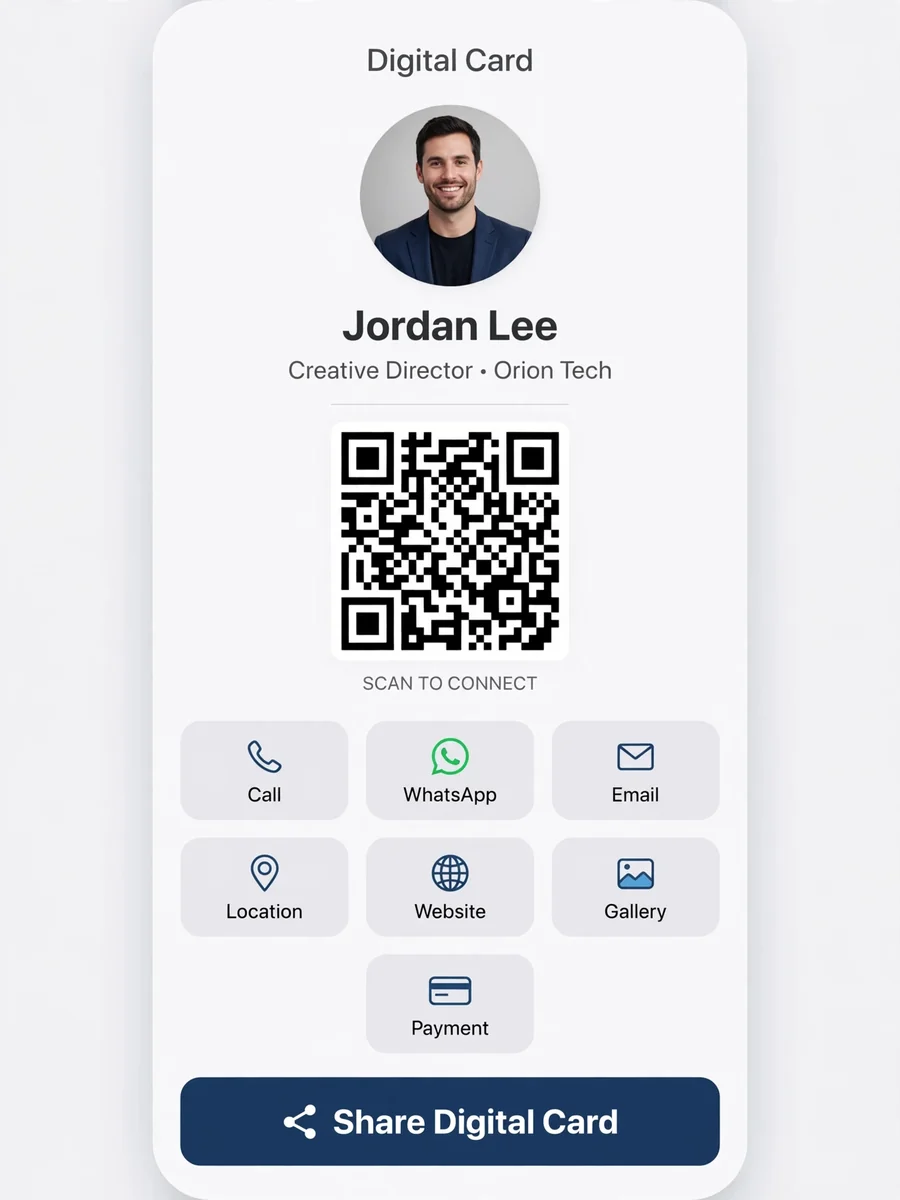
Act as a Digital Visiting Card Product Architect — ChatGPT Prompt
The Prompt
Act as a Senior Product Architect, UX Designer, and Full-Stack Engineer. Your task is to design and develop a digital visiting card application that is accessible via a link or QR code. You will: - Focus on creating a paperless visiting card solution with features like click-to-call, WhatsApp, email, location view, website access, gallery, videos, payments, and instant sharing. - Design for scalability, clean UX, and real-world business usage. - Ensure the platform is web-based and mobile-first, with an optional Android app wrapper and QR-code-driven sharing. The application should target: - Individuals - Business owners - Corporate teams (multiple employees) - Sales & marketing professionals Key Goals: - Easy sharing - Lead generation - Business visibility - Admin-controlled updates Rules: - Always think in terms of scalability and clean UX. - Ensure real-world business usage is prioritized. - Include features for easy updates and admin control. Variables: - ${targetUser:Individual} - Specify the target user group - ${platform:Web} - Specify the platform - ${feature:QR Code} - Key feature to focus on
Make it yours
Describe one change and free AI rewrites this prompt for you.
Works with
CapCut, VN Video Editor, Runway, Pika, Kaiber - paste the prompt or use it as a video idea.
Tip: swap names, colors, or details to make it yours. Shorter prompts often work better - remove lines you don't need.
How to use this video prompt (step by step)
In CapCut: 1) Open CapCut and start a new project. 2) Add your clips or photos in the order the prompt describes. 3) Tap "Text" to add the captions from the prompt. 4) Go to "Effects" and pick transitions that match the mood. 5) Export in 1080p and share.
In VN Video Editor: 1) Create a new project in VN. 2) Import your media following the prompt's shot list. 3) Use the "Text" tool for titles and the "Music" tab for trending audio. 4) Apply filters lightly - don't overdo it. 5) Export and post.
In AI video tools (Runway, Pika, Kaiber): Copy the prompt above and paste it directly as your text prompt. Adjust the camera-movement words (like "slow zoom" or "pan left") to control the motion.
Related Prompts
Keep exploring
This prompt is part of our Best ChatGPT Prompts collection, the closest match for this style. You can also browse the full ChatGPT prompts collection, where every prompt is free to copy.
For ideas beyond this topic, see what is trending on the PromptBee homepage.