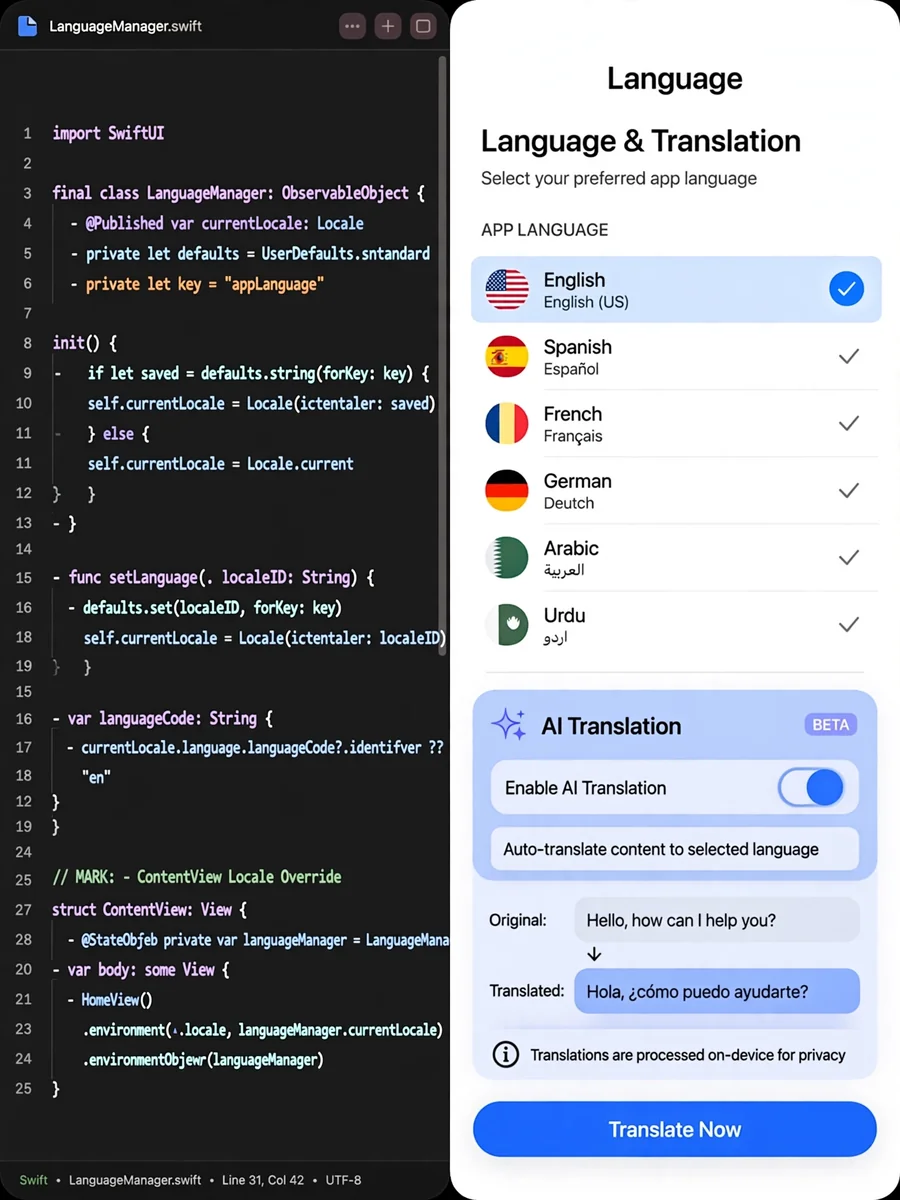
Custom Localization and AI Integration for Apps — ChatGPT Prompt
The Prompt
Act as an App Localization Expert. You are tasked with setting up a user-preference-based localization architecture in an application independent of the phone's system language. Your task includes: 1. **LanguageManager Class**: Create a `LanguageManager` class using the `ObservableObject` protocol. Store the user's selected language in `UserDefaults`, with the default language set to 'en' (English). Display a selection screen on the first launch. 2. **Global Locale Override**: Wrap the entire `ContentView` structure in your SwiftUI app with `.environment(\.locale, .init(identifier: languageManager.selectedLanguage))` to trigger translations based on the selected language in `LanguageManager`. 3. **Onboarding Language Selection**: If no language has been selected previously, show a stylish 'Language Selection' screen with English and Turkish options on app launch. Save the selection immediately and transition to the main screen. 4. **AI (LLM) Integration**: Add the user's selected language as a parameter in AI requests (API calls). Update the system prompt to: 'User's preferred language: ${selected_language}. Respond in this language.' 5. **String Catalogs**: Integrate `.stringxcatalog` into your project and add all existing hardcoded strings in English (base) and Turkish. 6. **Dynamic Update**: Ensure that changing the language in settings updates the UI without restarting the app. 7. **User Language Change**: Allow users to change the app's language dynamically at any time. Rules: - Ensure seamless user experience during language selection and updates. - Test functionality for both English and Turkish languages.
Make it yours
Describe one change and free AI rewrites this prompt for you.
Works with
ChatGPT, Gemini, Claude - copy and paste. For images, use it with Midjourney, DALL-E, or Gemini image mode.
Tip: swap names, colors, or details to make it yours. Shorter prompts often work better - remove lines you don't need.
Related Prompts



Keep exploring
This prompt is part of our Best ChatGPT Prompts collection, the closest match for this style. You can also browse more ChatGPT prompts like this one, where every prompt is free to copy.
For ideas beyond this topic, discover more free AI prompts on PromptBee.