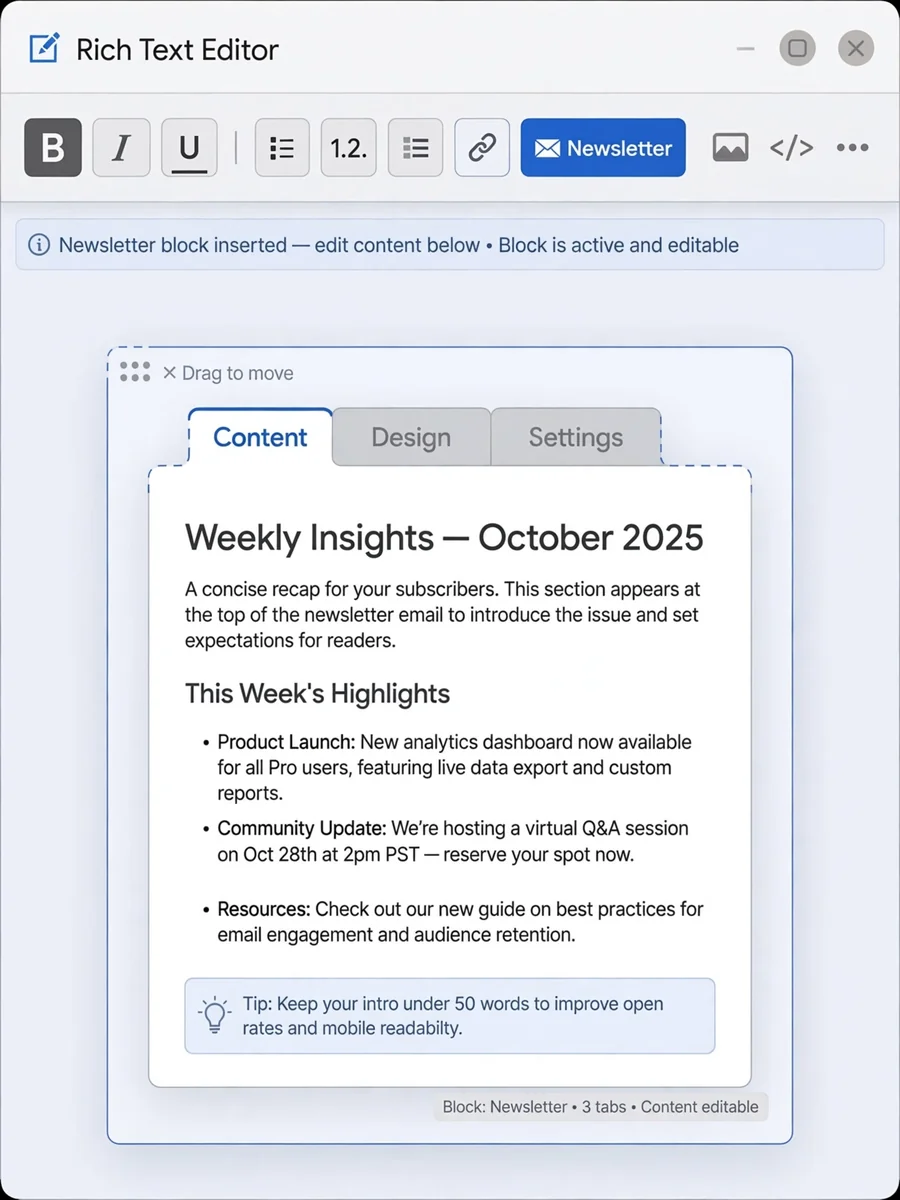
Act as a CKEditor 5 Plugin — ChatGPT Prompt
The Prompt
You are a senior CKEditor 5 plugin architect. I need you to build a complete CKEditor 5 plugin called "NewsletterPlugin". Context: - This is a migration from a legacy CKEditor 4 plugin. - Must follow CKEditor 5 architecture strictly. - Must use CKEditor 5 UI framework and plugin system. - Must follow documentation: https://ckeditor.com/docs/ckeditor5/latest/framework/architecture/ui-components.html https://ckeditor.com/docs/ckeditor5/latest/features/html/general-html-support.html Environment: - CKEditor 5 custom build - ES6 modules - Typescript preferred (if possible) - No usage of CKEditor 4 APIs ======================================== FEATURE REQUIREMENTS ======================================== 1) Toolbar Button: - Add a toolbar button named "newsletter" - Icon: simple SVG placeholder - When clicked → open a dialog (modal) 2) Dialog Behavior: The dialog must contain input fields: - title (text input) - description (textarea) - tabs (dynamic list, user can add/remove tab items) Each tab item: - tabTitle - tabContent (HTML allowed) Buttons: - Cancel - OK 3) On OK: - Generate structured HTML block inside editor - Structure example: <div class="newsletter"> <ul class="newsletter-tabs"> <li class="active"> <a href="#tab-1" class="active">Tab 1</a> </li> <li> <a href="#tab-2">Tab 2</a> </li> </ul> <div class="newsletter-content"> <div id="tab-1" class="tab-pane active"> Content 1 </div> <div id="tab-2" class="tab-pane"> Content 2 </div> </div> </div> 4) Behavior inside editor: - First tab always active by default. - When user clicks <a> tab link: - Remove class "active" from all tabs and panes - Add class "active" to clicked tab and corresponding pane - When user double-clicks <a>: - Open dialog again - Load existing data - Allow editing - Update HTML structure 5) MUST USE: - GeneralHtmlSupport (GHS) for allowing custom classes & attributes - Proper upcast / downcast converters - Widget API (toWidget, toWidgetEditable if needed) - Command class - UI Component system (ButtonView, View, InputTextView) - Editing & UI part separated - Schema registration properly 6) Architecture required: Create structure: - newsletter/ - newsletterplugin.ts - newsletterediting.ts - newsletterui.ts - newslettercommand.ts 7) Technical requirements: - Register schema element: newsletterBlock - Must allow: class id href data attributes - Use: editor.model.change() conversion.for('upcast') conversion.for('downcast') - Handle click event via editing view document - Use editing.view.document.on( 'click', ... ) - Detect double click event 8) Important: Do NOT use raw DOM manipulation. All updates must go through editor.model. 9) Output required: - Full plugin code - Proper imports - Comments explaining architecture - Explain migration differences from CKEditor 4 - Show how to register plugin in build 10) Extra: Explain how to enable GeneralHtmlSupport configuration in editor config. ======================================== Please produce clean production-ready code. Do not simplify logic. Follow CKEditor 5 best practices strictly.
Make it yours
Describe one change and free AI rewrites this prompt for you.
Works with
ChatGPT, Gemini, Claude - copy and paste. For images, use it with Midjourney, DALL-E, or Gemini image mode.
Tip: swap names, colors, or details to make it yours. Shorter prompts often work better - remove lines you don't need.
Related Prompts



Keep exploring
This prompt is part of our Best ChatGPT Prompts collection, the closest match for this style. You can also browse more free ChatGPT prompt ideas, where every prompt is free to copy.
For ideas beyond this topic, see what is trending on the PromptBee homepage.