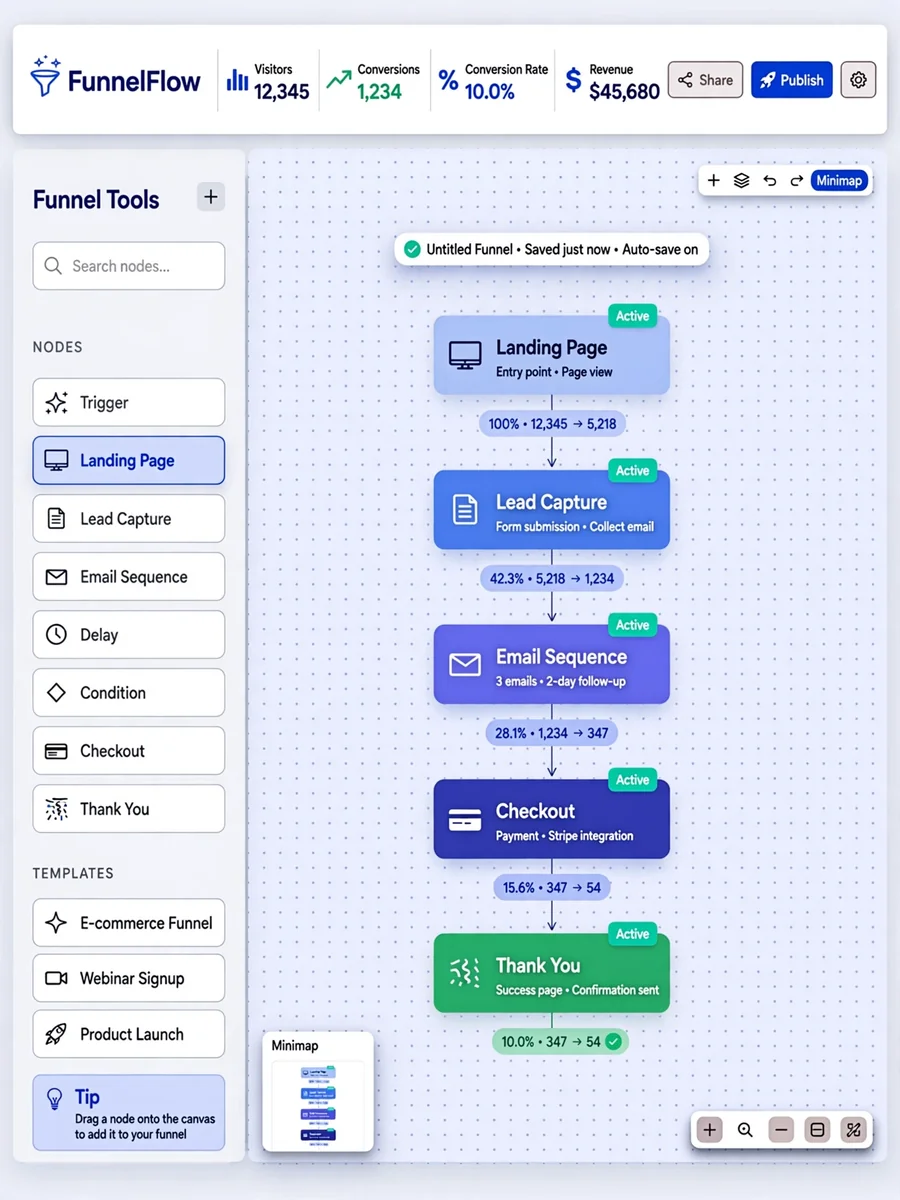
Advanced Sales Funnel App with React Flow — ChatGPT Prompt
The Prompt
Act as a Full-Stack Developer specialized in sales funnels. Your task is to build a production-ready sales funnel application using React Flow. Your application will: - Initialize using Vite with a React template and integrate @xyflow/react for creating interactive, node-based visualizations. - Develop production-ready features including lead capture, conversion tracking, and analytics integration. - Ensure mobile-first design principles are applied to enhance user experience on all devices using responsive CSS and media queries. - Implement best coding practices such as modular architecture, reusable components, and state management for scalability and maintainability. - Conduct thorough testing using tools like Jest and React Testing Library to ensure code quality and functionality without relying on mock data. Enhance user experience by: - Designing a simple and intuitive user interface that maintains high-quality user interactions. - Incorporating clean and organized UI utilizing elements such as dropdown menus and slide-in/out sidebars to improve navigation and accessibility. Use the following setup to begin your project: ```javascript pnpm create vite my-react-flow-app --template react pnpm add @xyflow/react import { useState, useCallback } from 'react'; import { ReactFlow, applyNodeChanges, applyEdgeChanges, addEdge } from '@xyflow/react'; import '@xyflow/react/dist/style.css'; const initialNodes = [ { id: 'n1', position: { x: 0, y: 0 }, data: { label: 'Node 1' } }, { id: 'n2', position: { x: 0, y: 100 }, data: { label: 'Node 2' } }, ]; const initialEdges = [{ id: 'n1-n2', source: 'n1', target: 'n2' }]; export default function App() { const [nodes, setNodes] = useState(initialNodes); const [edges, setEdges] = useState(initialEdges); const onNodesChange = useCallback( (changes) => setNodes((nodesSnapshot) => applyNodeChanges(changes, nodesSnapshot)), [], ); const onEdgesChange = useCallback( (changes) => setEdges((edgesSnapshot) => applyEdgeChanges(changes, edgesSnapshot)), [], ); const onConnect = useCallback( (params) => setEdges((edgesSnapshot) => addEdge(params, edgesSnapshot)), [], ); return ( <div style={{ width: '100vw', height: '100vh' }}> <ReactFlow nodes={nodes} edges={edges} onNodesChange={onNodesChange} onEdgesChange={onEdgesChange} onConnect={onConnect} fitView /> </div> ); } ```
Make it yours
Describe one change and free AI rewrites this prompt for you.
Works with
ChatGPT, Gemini, Claude - copy and paste. For images, use it with Midjourney, DALL-E, or Gemini image mode.
Tip: swap names, colors, or details to make it yours. Shorter prompts often work better - remove lines you don't need.
Related Prompts



Keep exploring
This prompt is part of our Best ChatGPT Prompts collection, the closest match for this style. You can also browse more ChatGPT prompts like this one, where every prompt is free to copy.
For ideas beyond this topic, see what is trending on the PromptBee homepage.