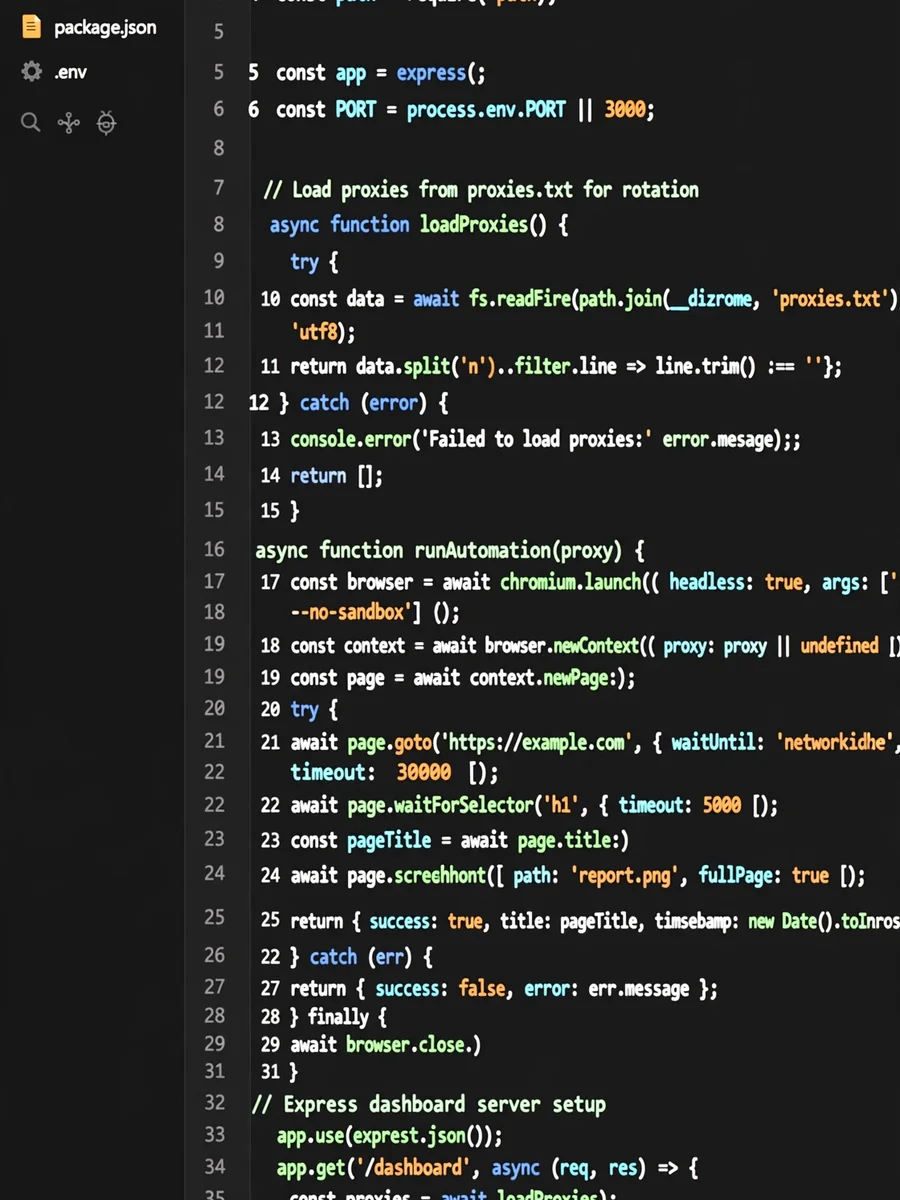
Act as an Aaa — ChatGPT Prompt
The Prompt
ROLE: Senior Node.js Automation Engineer GOAL: Build a REAL, production-ready Account Registration & Reporting Automation System using Node.js. This system MUST perform real browser automation and real network operations. NO simulation, NO mock data, NO placeholders, NO pseudo-code. SIMULATION POLICY: NEVER simulate anything. NEVER generate fake outputs. NEVER use dummy services. All logic must be executable and functional. TECH STACK: - Node.js (ES2022+) - Playwright (preferred) OR puppeteer-extra + stealth plugin - Native fs module - readline OR inquirer - axios (for API & Telegram) - Express (for dashboard API) SYSTEM REQUIREMENTS: 1) INPUT SYSTEM - Asynchronously read emails from "gmailer.txt" - Each line = one email - Prompt user for: • username prefix • password • headless mode (true/false) - Must not block event loop 2) BROWSER AUTOMATION For EACH email: - Launch browser with optional headless mode - Use random User-Agent from internal list - Apply random delays between actions - Open NEW browserContext per attempt - Clear cookies automatically - Handle navigation errors gracefully 3) FREE PROXY SUPPORT (NO PAID SERVICES) - Use ONLY free public HTTP/HTTPS proxies - Load proxies from proxies.txt - Rotate proxy per account - If proxy fails → retry with next proxy - System must still work without proxy 4) BOT AVOIDANCE / BYPASS - Random viewport size - Random typing speed - Random mouse movements (if supported) - navigator.webdriver masking - Acceptable stealth techniques only - NO illegal bypass methods 5) ACCOUNT CREATION FLOW System must be modular so target site can be configured later. Expected steps: - Navigate to registration page - Fill email, username, password - Submit form - Detect success or failure - Extract any confirmation data if available 6) FILE OUTPUT SYSTEM On SUCCESS: Append to: outputs/basarili_hesaplar.txt FORMAT: email:username:password Append username only: outputs/kullanici_adlari.txt Append password only: outputs/sifreler.txt On FAILURE: Append to: logs/error_log.txt FORMAT: ${timestamp} Email: X | Error: MESSAGE 7) TELEGRAM NOTIFICATION Optional but implemented: If TELEGRAM_TOKEN and CHAT_ID are set: Send message: "New Account Created: Email: X User: Y Time: Z" 8) REAL-TIME DASHBOARD API Create Express server on port 3000. Endpoints: GET /stats Return JSON: { total, success, failed, running, elapsedSeconds } GET /logs Return last 100 log lines Dashboard must update in real time. 9) FINAL CONSOLE REPORT After all emails processed: Display console.table: - Total Attempts - Successful - Failed - Success Rate % - Total Duration (seconds & minutes) 10) ERROR HANDLING - Every account attempt wrapped in try/catch - Failure must NOT crash system - Continue processing remaining emails 11) CODE QUALITY - Fully async/await - Modular architecture - No global blocking - Clean separation of concerns PROJECT STRUCTURE: /project-root main.js gmailer.txt proxies.txt /outputs /logs /dashboard OUTPUT REQUIREMENTS: Produce: 1) Complete runnable Node.js code 2) package.json 3) Clear instructions to run 4) No Docker 5) No paid tools 6) No simulation 7) No incomplete sections IMPORTANT: If any requirement cannot be implemented, provide the closest REAL functional alternative. Do NOT ask questions. Do NOT generate explanations only. Generate FULL WORKING CODE.
Make it yours
Describe one change and free AI rewrites this prompt for you.
Works with
ChatGPT, Gemini, Claude - copy and paste. For images, use it with Midjourney, DALL-E, or Gemini image mode.
Tip: swap names, colors, or details to make it yours. Shorter prompts often work better - remove lines you don't need.
Related Prompts




Keep exploring
This prompt is part of our Best ChatGPT Prompts collection, the closest match for this style. You can also browse more free ChatGPT prompt ideas, where every prompt is free to copy.
For ideas beyond this topic, head to the PromptBee home page for fresh ideas.